How to Create a GHL Feature Video
Your platform probably has dozens of powerful tools. Missed call text back. AI chat. Workflows. Reputation management. Calendars. Social planner. The list goes on.
But here’s the uncomfortable truth: most clients only use a handful of them. Not because the other features aren’t valuable, but because nobody showed them how those features work in a way that clicked.
That’s exactly what a feature video solves. Instead of a long training session, it explains one tool in under a minute: what it does, how it works, and why it matters. Clients get it instantly, start using it, and see more value from your platform.
In this guide, you’ll learn how to create a GHL feature video from start to finish: how to pick the right features, write a tight script, design and animate the video, add voiceover and captions, and use it across your sales, onboarding, and support. We’ll also show you how to build a full feature video library over time.
What Is a GHL Feature Video?
A GHL feature video is a short, branded video, usually around 45 to 60 seconds, that focuses on a single tool inside your white-label GoHighLevel platform.
It answers three simple questions:
- What is this feature?
- How does it work?
- Why should I care?
Most feature videos use clean motion graphics that recreate your dashboard in your brand colors, so they look polished and stay accurate even when small UI details change.
Feature Video vs. Other Video Types
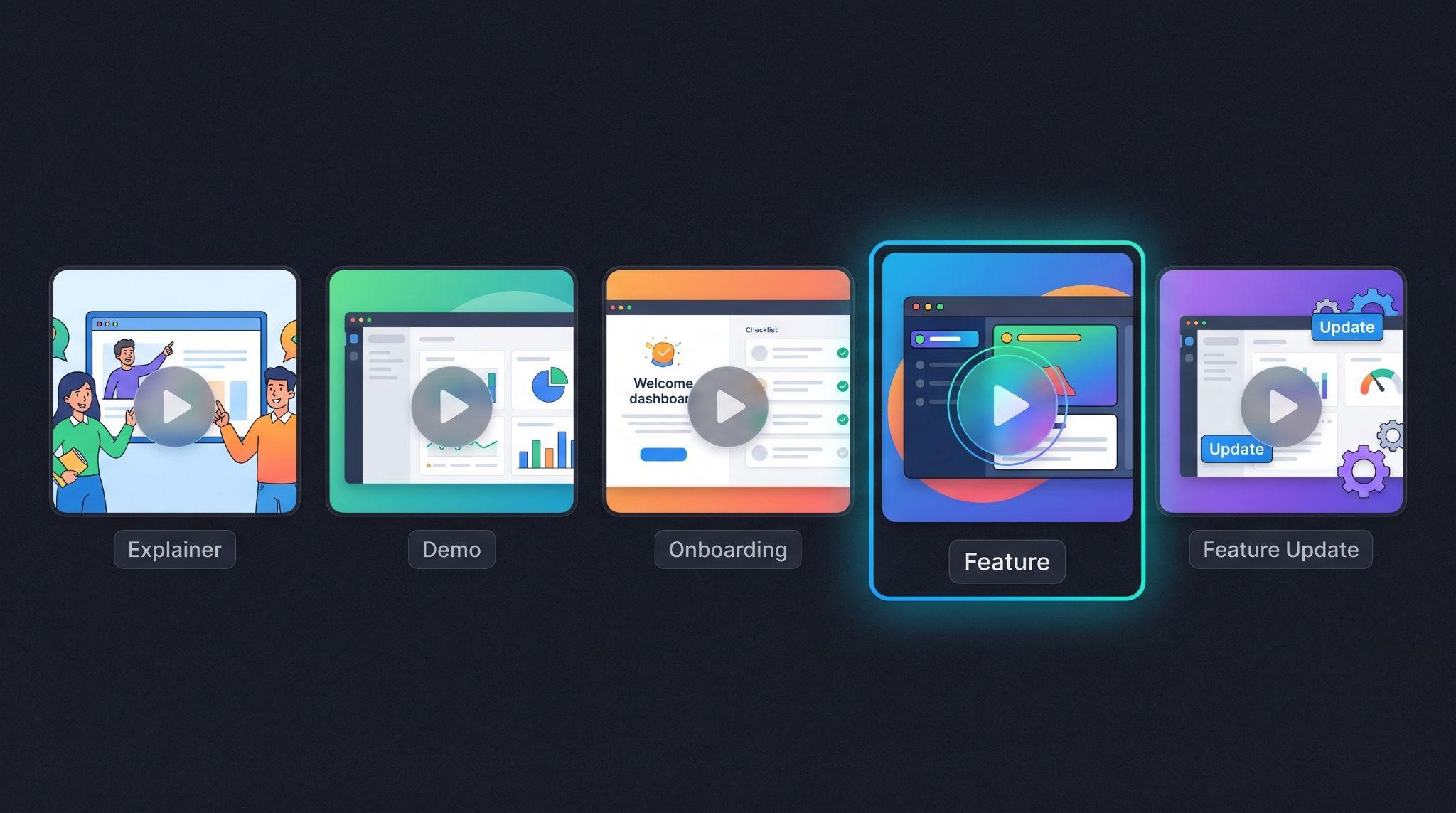
Feature videos are often confused with other SaaS videos. Here’s how they compare:
| Video Type | Focus | Typical Length | Main Job |
|---|---|---|---|
| Explainer video | Your whole platform’s value | 60 to 90 seconds | Spark interest |
| Demo video | Full platform walkthrough | 2 to 7 minutes | Help prospects decide |
| Onboarding video | One setup task | 2 to 4 minutes | Get new clients set up |
| Feature video | One specific tool | 45 to 60 seconds | Show what a feature does and why it matters |
| Feature update video | A newly released feature | 30 to 60 seconds | Announce what’s new and drive adoption |
A simple way to think about it: onboarding videos teach clients how to set things up, while feature videos show clients why a tool is worth using.
Why Feature Videos Are So Valuable
- Higher feature adoption: Clients use more of what they’re paying for
- Fewer support tickets: Common “how does this work?” questions get answered upfront
- Faster onboarding: Clients understand each tool as they reach it
- Lower churn: Clients who use more features see more value and stay longer
- Better sales: Prospects see specific features in action before signing up
- Easy to reuse: One video works on sales pages, inside your app, in emails, and on social media
Step 1: Choose Which Features to Cover First
You don’t need a video for every feature on day one. Start with the ones that will have the biggest impact.
Ask three questions about each feature:
| Question | Why It Matters |
|---|---|
| Does it drive results for clients? | High-value features keep clients happy and paying |
| Do clients often ask about it? | Frequent support questions mean confusion |
| Does it help close sales? | Some features are great selling points |
Good Features to Start With
For most GHL SaaS platforms, these are strong first choices:
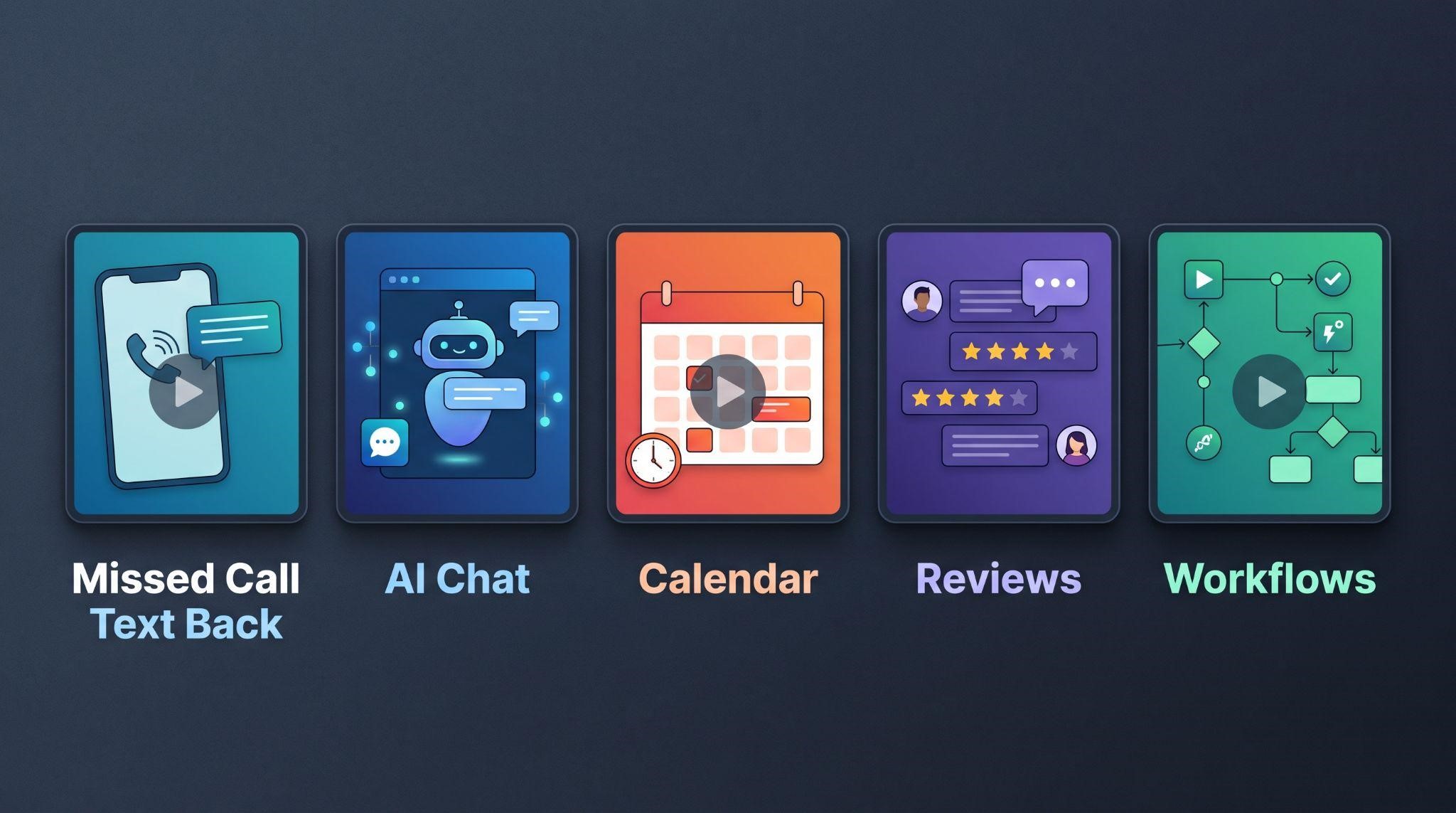
- Missed call text back: Easy to understand, instant value
- Conversational AI: A big selling point that many clients don’t fully trust yet
- AI receptionist (Voice AI): Impressive, but often misunderstood
- Unified inbox: Used daily, but often underused
- Calendar booking: Directly tied to revenue
- Reputation management: Clear, visible results
- Workflow automation: Powerful but intimidating
- Pipelines: Core to tracking leads
Pick three to five to start, then build from there.
Step 2: Define the Video’s Purpose
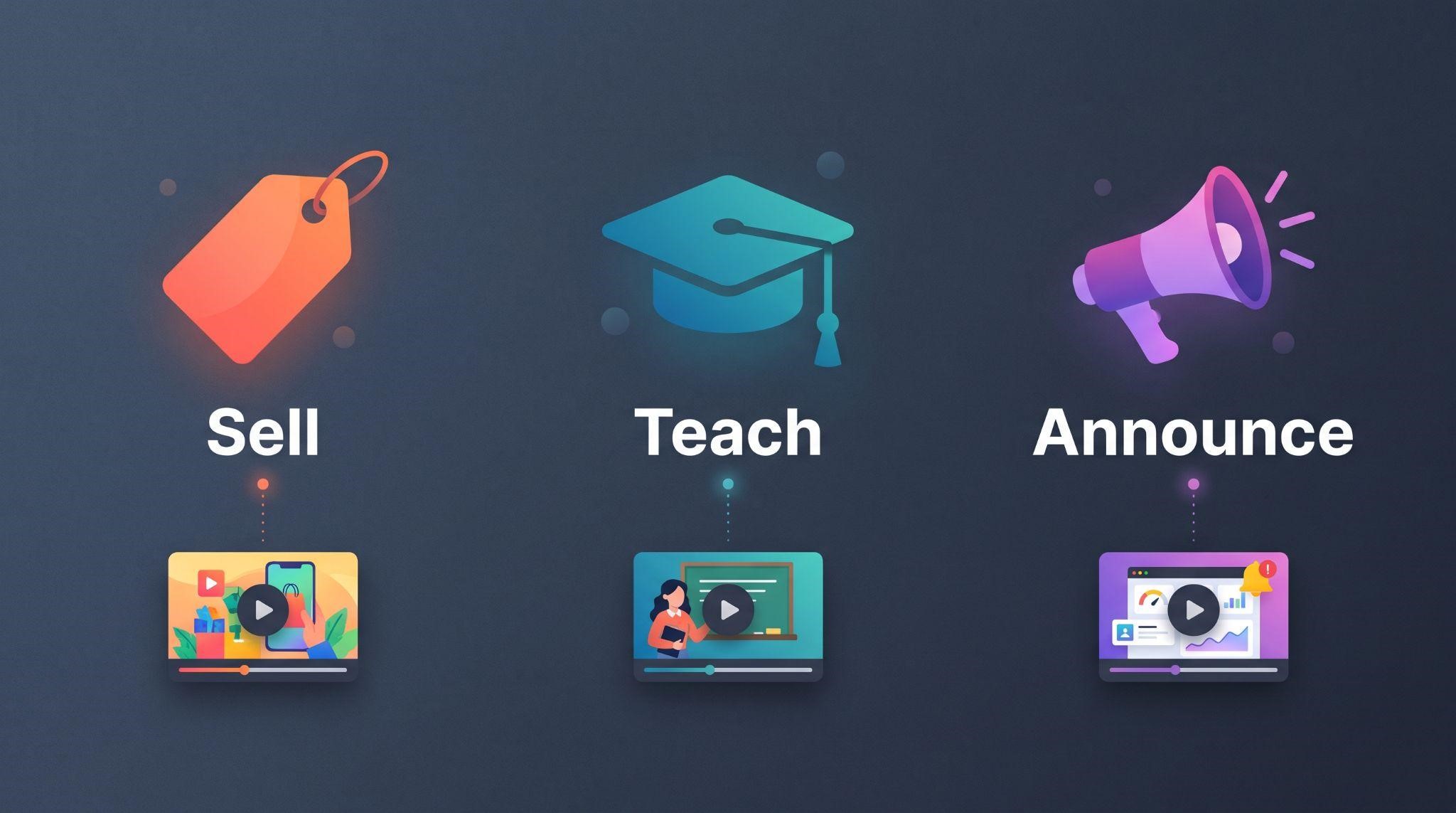
Feature videos can serve different goals, and the goal shapes how you write it.
| Purpose | Focus On | Example Line |
|---|---|---|
| Sell | The outcome and the “wow” moment | “Never lose another lead to a missed call.” |
| Teach | What it does and where to find it | “Here’s how to turn it on from your settings.” |
| Announce | What’s new and why it matters now | “New this month: AI replies on Instagram DMs.” |
Most feature videos blend selling and teaching: they show the benefit first, then briefly show how it works. Choose your main goal before writing anything.
Step 3: Write a Tight Script
With only about a minute, every word counts. At a natural speaking pace, a 45 to 60 second video usually needs around 110 to 150 words.
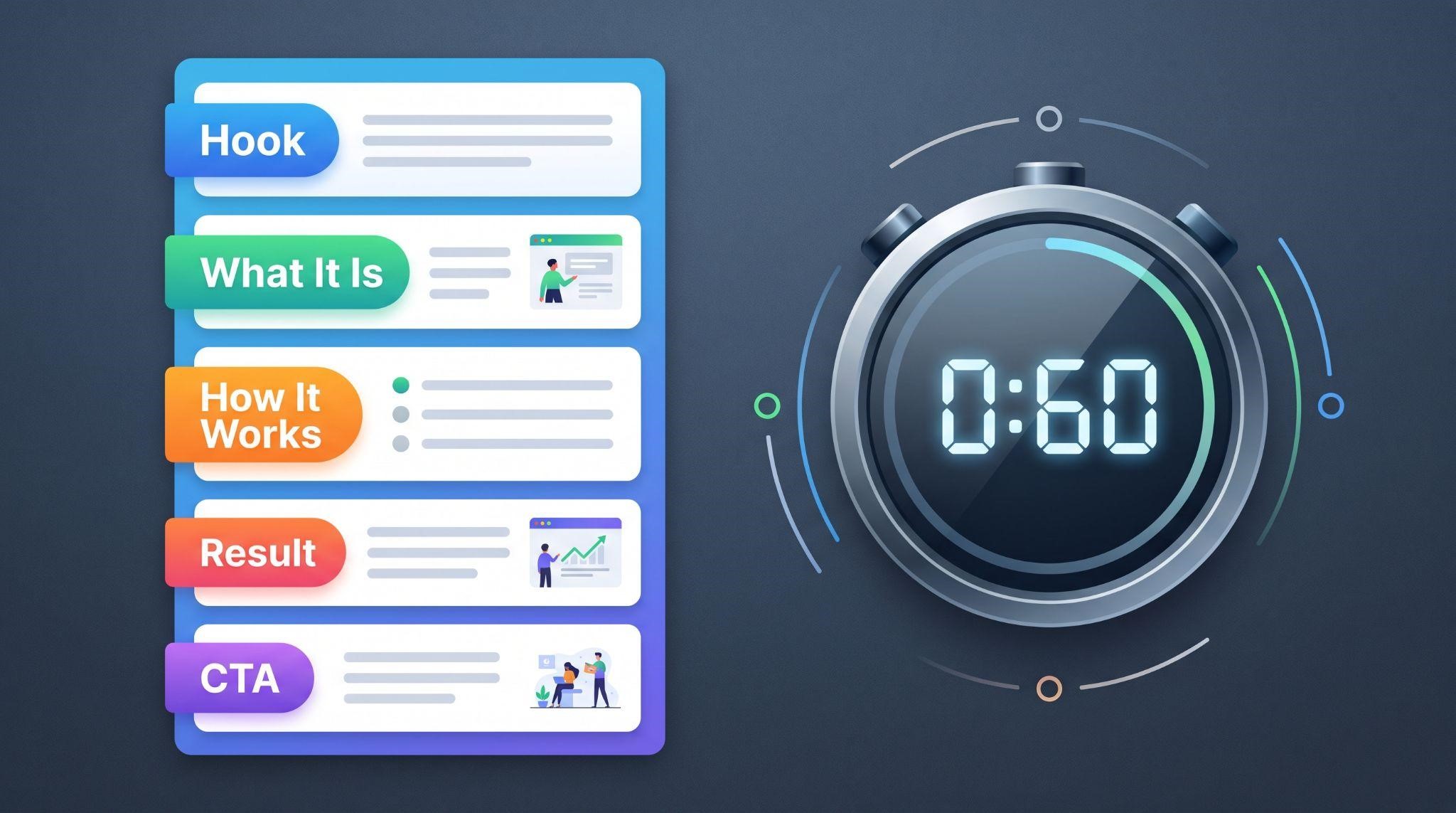
A Simple 60-Second Structure
| Section | Time | What to Cover |
|---|---|---|
| Hook | 0:00 to 0:05 | A relatable problem or question |
| What it is | 0:05 to 0:15 | Name the feature and its main benefit |
| How it works | 0:15 to 0:40 | Show the feature in action, step by step |
| The result | 0:40 to 0:50 | What changes for the business |
| Call to action | 0:50 to 0:60 | Turn it on, try it, or book a call |
Sample Script: Missed Call Text Back
Hook: “Ever miss a call while you’re with a customer?”
What it is: “With Missed Call Text Back in [Your Brand], every unanswered call gets an instant, friendly text.”
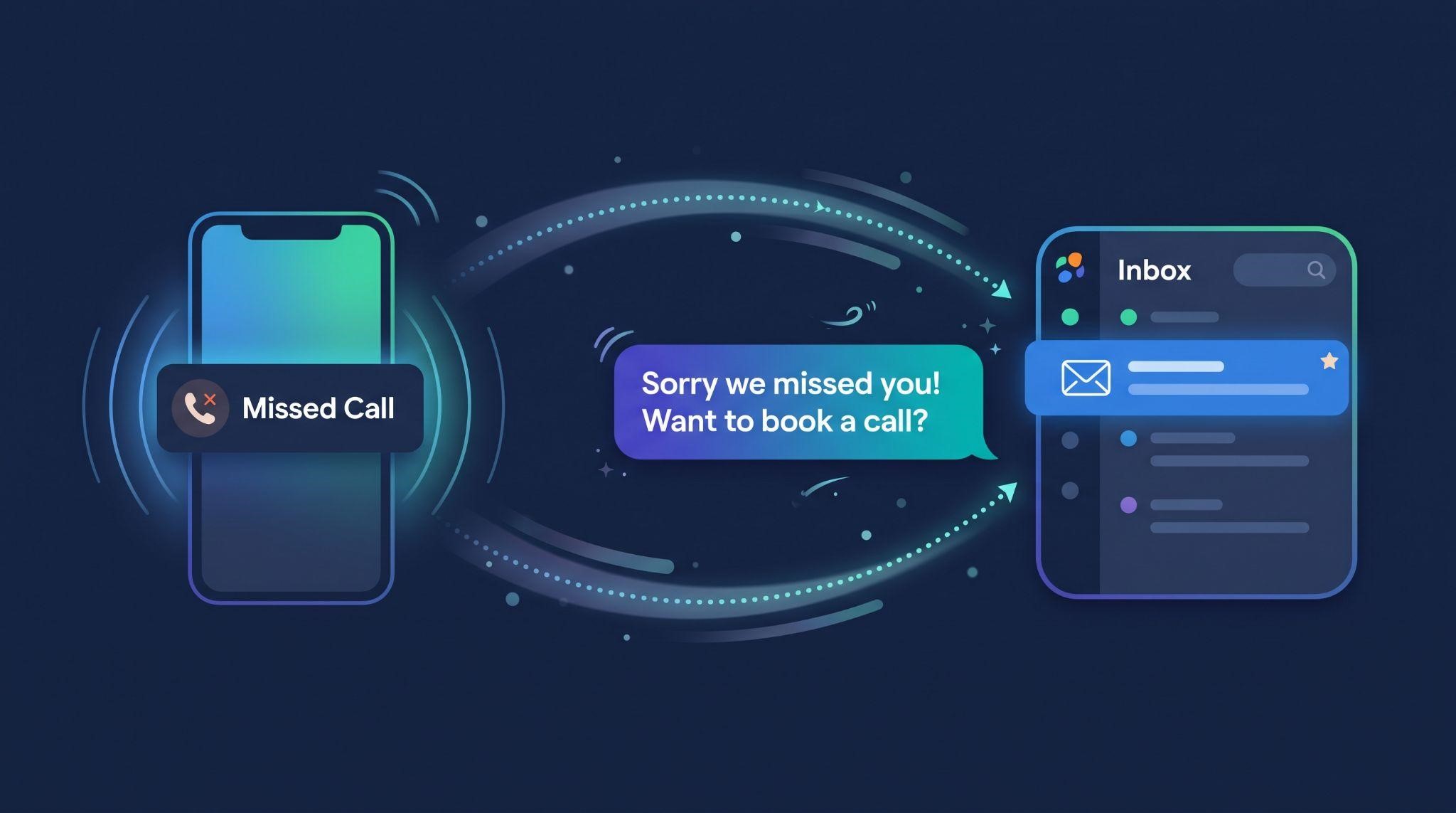
How it works: “When a call goes unanswered, [Your Brand] automatically texts the caller within seconds. They can reply right away, and the conversation shows up in your inbox, ready for you to respond from your desk or your phone.”
Result: “Instead of losing that lead to a competitor, you keep the conversation going and book the job.”
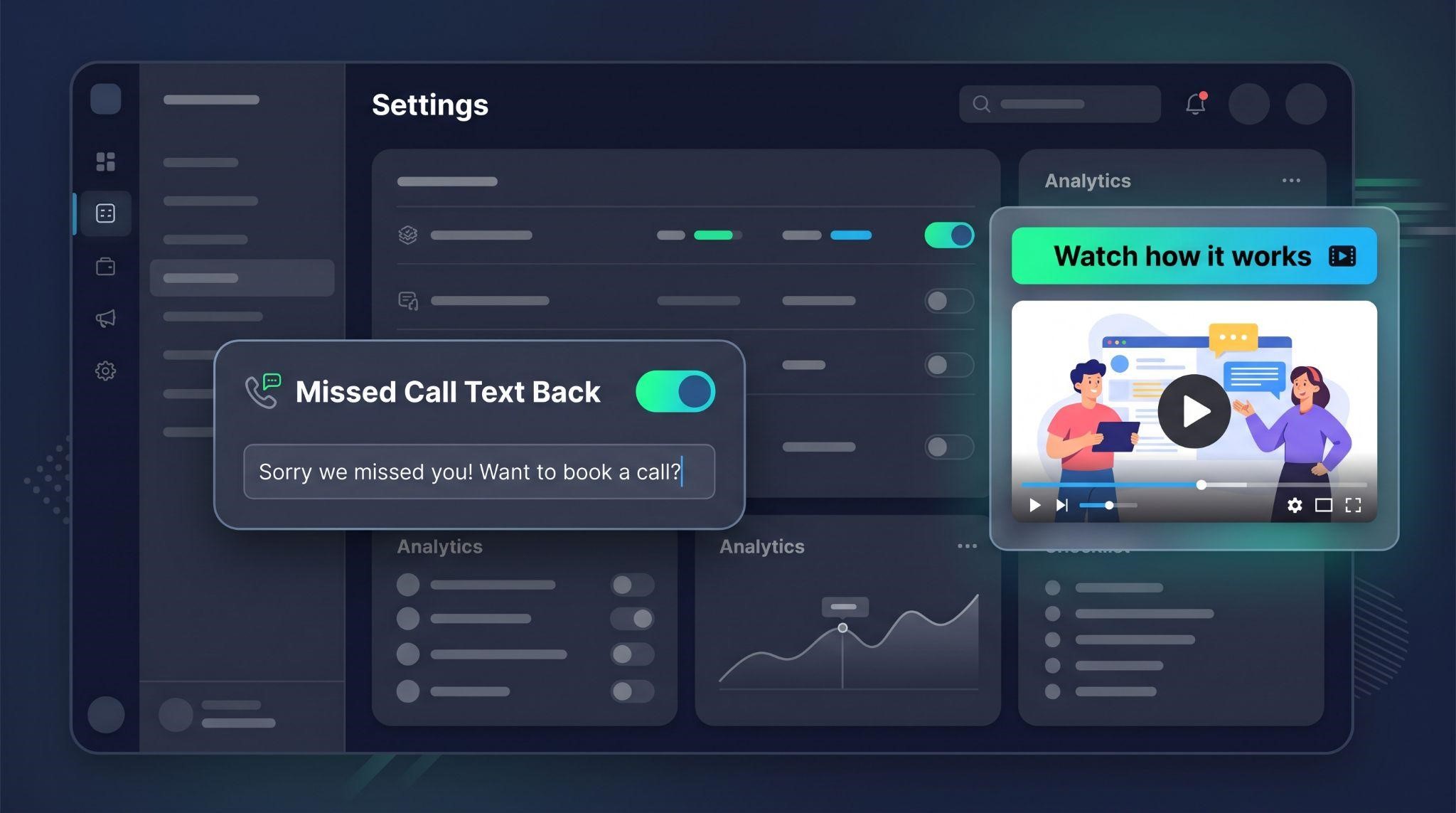
CTA: “Turn on Missed Call Text Back today in your settings.”
That’s about 90 words, perfect for a 45 to 50 second video with room for visuals to breathe.
Always use your own brand name and terminology. Never mention GoHighLevel.
Step 4: Choose Your Visual Approach
There are two main ways to show a feature on screen:
| Approach | What It Looks Like | Pros | Cons |
|---|---|---|---|
| Screen recording | Real footage of your dashboard | Fast and inexpensive | Can look basic and goes out of date quickly |
| Motion graphics UI | Your dashboard recreated in clean animation | Polished, on-brand, easier to keep clear and simple | Requires design and animation skills |
Motion graphics are usually the better choice for feature videos. They let you strip away clutter, highlight exactly what matters, and show actions like “a call is missed, then a text is sent” in a way real screen footage can’t.
A hybrid approach also works: real dashboard footage enhanced with animated zooms, arrows, and callouts.
Step 5: Storyboard Each Scene
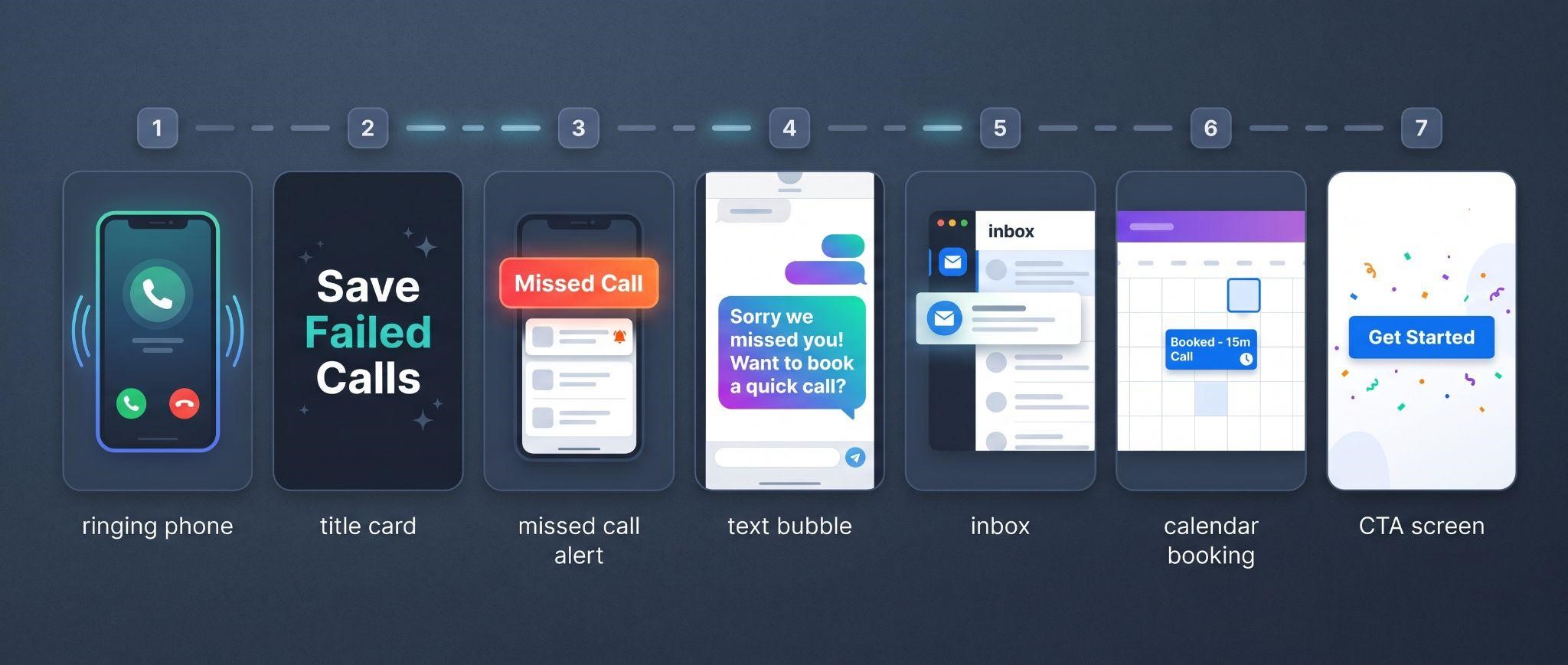
Even for a one-minute video, a quick storyboard saves time. Match each script line to a visual:
| Scene | Script Line | Visual |
|---|---|---|
| 1 | “Ever miss a call while you’re with a customer?” | A ringing phone on a busy desk |
| 2 | “Every unanswered call gets an instant text.” | Branded feature title card |
| 3 | “When a call goes unanswered...” | Missed call notification animates in |
| 4 | “...[Your Brand] texts the caller within seconds.” | Text bubble flies out from a phone |
| 5 | “The conversation shows up in your inbox.” | Branded inbox with the new message highlighted |
| 6 | “You keep the conversation going and book the job.” | Calendar slot fills with a booking |
| 7 | “Turn it on today in your settings.” | CTA screen with logo and settings icon |
Keep it to one main action per scene. Too much movement at once confuses viewers.
Step 6: Design an On-Brand Look
Feature videos should look like they belong to your platform. Before animating, set up your visual style:
- Use your logo and brand colors throughout
- Match your dashboard theme so clients recognize the interface
- Use your platform’s terminology in labels and menus
- Keep layouts clean with plenty of white space
- Create a consistent template so every feature video in your library feels connected
That last point matters a lot. When all your feature videos share the same intro style, colors, and pacing, they feel like a professional, cohesive library rather than random clips.
Step 7: Animate With Purpose
Good feature animation isn’t flashy. It’s clear.
- Guide the eye: Animate the element being discussed, and keep everything else still
- Use smooth motion: High frame rates and eased movements look polished
- Sync with the voice: Visuals change when the script changes topic
- Show cause and effect: “This happens, then this happens” is the heart of a feature video
- Keep it calm: Too many effects distract from the message
Tools People Commonly Use
| Skill Level | Example Tools |
|---|---|
| Beginner | Canva, Animaker, screen recorders with zoom effects |
| Intermediate | Camtasia, Screen Studio, Descript |
| Advanced / Professional | Adobe After Effects, Figma for UI design |
Step 8: Add Voiceover, Captions, and Sound
Feature videos often play in places where sound is off, like inside dashboards or on social media. Plan for both.
| Option | Best For |
|---|---|
| Voiceover plus captions | Sales pages, onboarding, help centers |
| Silent animation with captions | In-app tooltips, social feeds, autoplay embeds |
| Voiceover only | Not recommended, since many viewers watch on mute |
Add subtle sound effects (like a notification “ping” when a text is sent) and light background music. Keep music low so it never competes with the voice.
Step 9: Export and Embed
Create versions for every place your feature video will live:
| Version | Format | Use It For |
|---|---|---|
| Main video | 16:9, MP4, 1080p or higher | Websites, help centers, emails |
| Vertical cut | 9:16 | Instagram, TikTok, Facebook Reels |
| Square cut | 1:1 | Social feeds |
| Embed link | Web-ready player | Dashboards, custom menu links, pop-up modals |
Where to Embed Feature Videos
| Placement | What It Does |
|---|---|
| Custom menu links in your dashboard | Puts help one click away from the feature itself |
| In-app pop-ups or tooltips | Explains a feature the moment clients need it |
| Onboarding checklists | Pairs each task with a quick visual explanation |
| Help center articles | Makes written guides easier to follow |
| Sales and feature pages | Shows prospects features in action |
| Email campaigns | Promotes underused features to existing clients |
| Social media | Showcases your platform to new audiences |
Step 10: Build a Feature Video Library
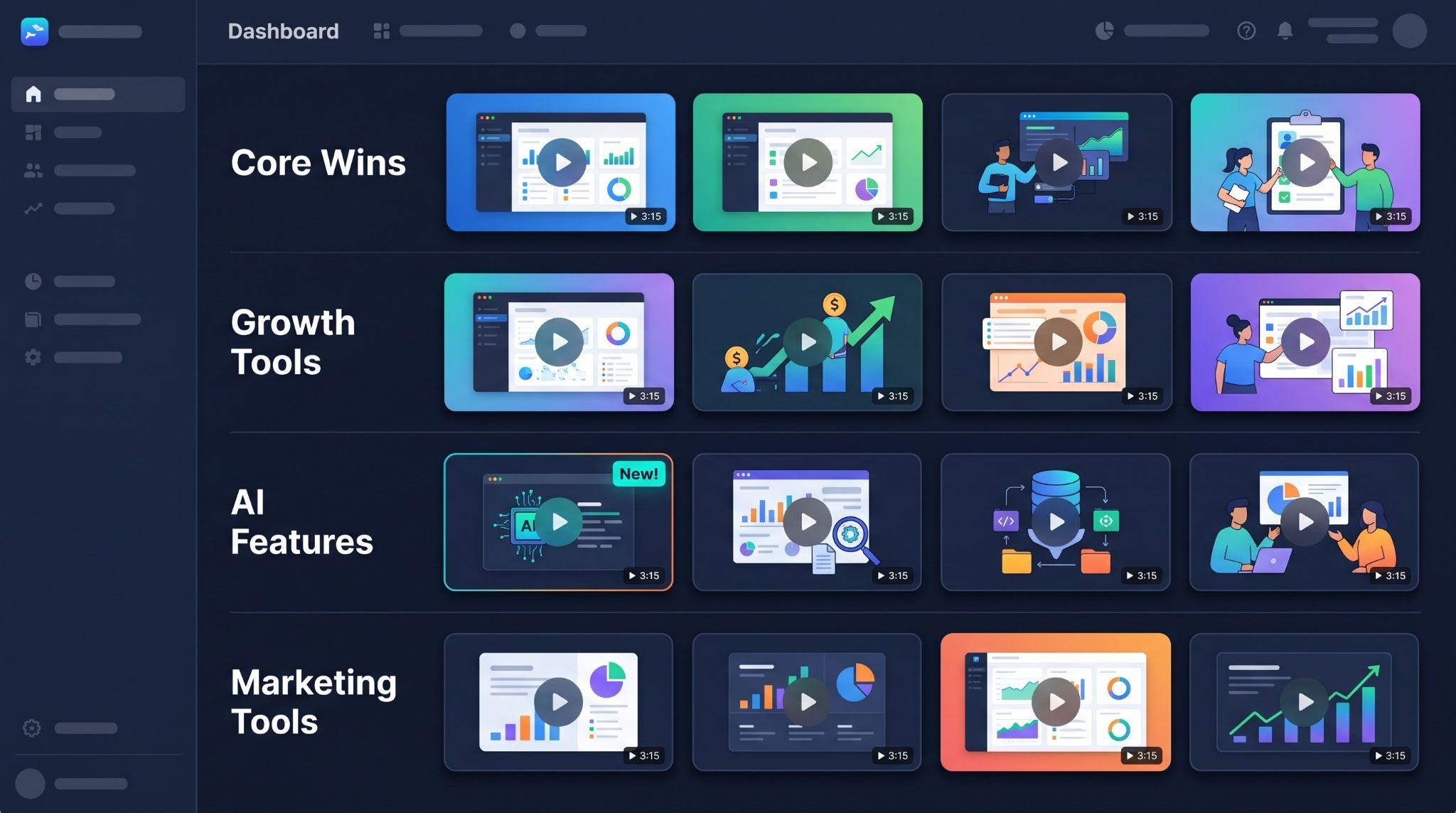
One feature video helps. A full library transforms your platform.
Plan your library in phases:
| Phase | Features to Cover |
|---|---|
| Phase 1: Core wins | Missed call text back, calendar booking, unified inbox |
| Phase 2: Growth tools | Reputation management, pipelines, workflow automation |
| Phase 3: AI features | Conversational AI, AI receptionist, Content AI |
| Phase 4: Marketing tools | Social media planner, email campaigns, funnels |
| Ongoing: Feature updates | Short announcement videos for every new release |
Don’t Forget Feature Update Videos
Every time you launch something new, existing clients need to know about it. A quick update video announcing what’s new, why it matters, and how to use it turns new features into reasons for clients to stay.
Measure the Impact
Track a few simple numbers to see whether your feature videos are working:
- Feature adoption: Are more clients turning on the feature?
- Support tickets: Are questions about that feature going down?
- Video completion rate: Are people watching to the end?
- Sales conversations: Are prospects mentioning features they saw in videos?
- Retention: Are clients who use more features staying longer?
Common Mistakes to Avoid
- Covering several features in one video: One video, one feature
- Making it too long: Aim for 45 to 60 seconds
- Showing setup instead of value: Lead with the benefit, then show how it works
- Cluttered visuals: Remove anything that isn’t part of the story
- Inconsistent branding: Every video should look like part of the same library
- No captions: Many viewers watch without sound
- Leftover GoHighLevel branding: Clients should only see your brand
- Hiding the videos: Embed them where clients actually work
DIY vs. Professional Feature Videos
| DIY Feature Videos | Professional Feature Videos | |
|---|---|---|
| Your time | Hours per video across scripting, design, and animation | Pick your features and submit branding |
| Visual quality | Usually screen recordings | Polished motion graphics matching your dashboard |
| Consistency | Hard to keep every video matching | Same style across your whole library |
| Scaling a library | Slow, one video at a time | Bundles of multiple feature animations |
| White-labeling | You check every frame manually | GoHighLevel never named or shown |
| Best for | One or two quick, simple videos | SaaS owners building a full feature library |
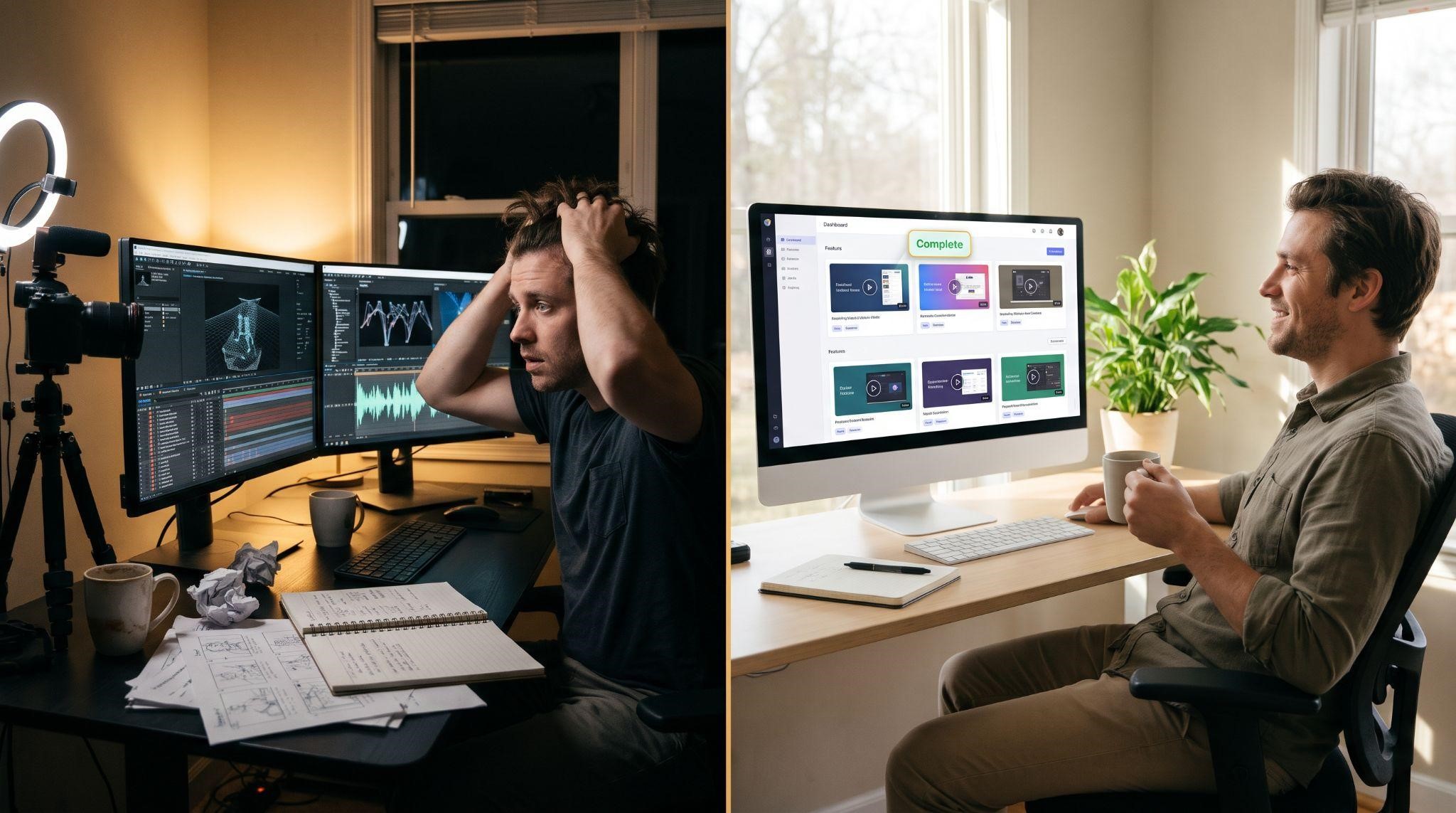
Let GHL Explainer Create Your Feature Videos
At GHL Explainer, we create premium white-label videos made specifically for GoHighLevel SaaS businesses. Our feature videos follow a simple idea: one video per feature, short, sharp, and branded, showing exactly how each tool works inside your platform.
Here’s what you get:
- Quick, focused videos: Each one explains a single feature in about 45 to 60 seconds
- Crisp motion graphics: Smooth animation that matches your exact dashboard theme
- 100% white-labeled: All terminology, buttons, and interface views use your brand, and GoHighLevel is never mentioned
- Ready to embed: HD MP4 files and web-ready embed links for custom menus, in-app modals, and support portals
- Fast delivery: Single feature animations are typically completed in 3 to 5 business days
- Unlimited revisions and full commercial ownership
- Custom features: We can animate custom sub-account tools, integrations, and snapshot features too
Planning a full library? Our Scale Stack and Full Stack bundles include multiple feature animations alongside explainer, demo, onboarding, and marketing videos, at a lower cost than ordering individually. See all options on our Video Stack page.
Quick Checklist: How to Create a GHL Feature Video
Ready to help clients understand and use more of your platform? Book A Free Call and we’ll help you plan the right feature video library.
Frequently Asked Questions
What is a GHL feature video?
It’s a short, branded video that explains one specific tool inside your white-label GoHighLevel platform.
How long should a feature video be?
Around 45 to 60 seconds works best for most features.
How is a feature video different from an onboarding video?
Onboarding videos teach setup steps, while feature videos show what a tool does and why it’s valuable.
Which features should I make videos for first?
Start with high-value, frequently asked about features like missed call text back, calendar booking, unified inbox, and AI tools.
Should feature videos have voiceover?
Many do, but always add captions. Silent animations with captions work well inside dashboards and on social media.
Where should I use feature videos?
Inside your dashboard, in onboarding checklists, help centers, sales pages, emails, and social media.
Can feature videos be embedded in my GHL custom menus?
Yes. With web-ready embed links, they can be placed inside custom menu links, in-app modals, or support portals.
Will GoHighLevel appear in my feature videos?
Not with GHL Explainer. All terminology and interface views are tailored to your brand.
Skip the Loom. Talk to us.
Tell us what you're building. We'll tell you exactly which video it needs.
or write to hello@ghlexplainer.com