GoHighLevel Workflow Automation Explained:
2026 Guide

What if a business could follow up with every lead, remind every customer about their appointment, ask every happy client for a review, and re-engage every cold contact, all without anyone lifting a finger?
That's exactly what GoHighLevel workflow automation does. It's the engine that turns a CRM into a business that runs on autopilot.
But workflows can feel intimidating at first. Triggers, actions, wait steps, branches... it's a lot. In this guide, we'll break it all down in plain English, share the workflows every business should have, and show you how to help clients understand and trust their automations.
What Is GoHighLevel Workflow Automation?
A GoHighLevel workflow is an automated sequence of actions that starts when a specific event happens. You build it once in a visual, drag-and-drop builder, and it runs in the background for every contact who meets the conditions.
For example: someone fills out a form, so the workflow sends a welcome text, waits a day, sends a follow-up email, and alerts the team if the lead hasn't replied.
No reminders on sticky notes. No forgotten follow-ups. Just consistent, automatic action.
The 4 Building Blocks of Every Workflow
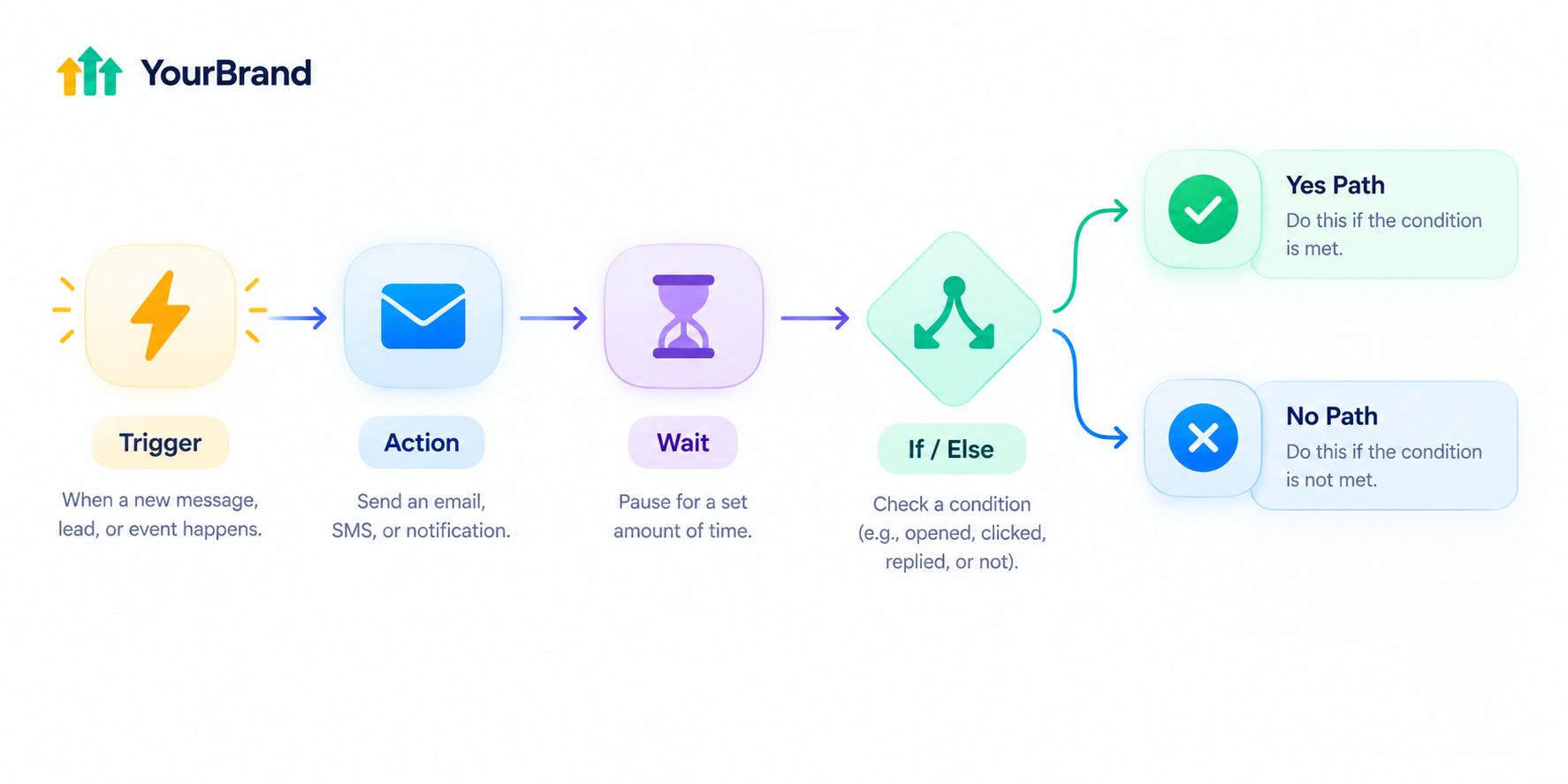
Every GoHighLevel workflow is made from the same four pieces: triggers, actions, wait steps, and if/else conditions.
| Building Block | What It Does | Simple Example |
|---|---|---|
| Trigger | The event that starts the workflow | A contact submits a form |
| Action | What the workflow does next | Send an SMS or email |
| Wait Step | Controls timing between actions | Wait one day before the next message |
| If/Else Condition | Splits the path based on what happened | If they replied, stop; if not, follow up |
Here's why wait steps matter: without them, all the actions in a workflow would fire immediately, one after another. Wait steps make actions happen exactly when you want them to.
And if/else conditions are where things get really smart. They split the workflow into different branches based on what happened earlier, so every contact gets a personalized journey.
Common Triggers and Actions
You don't need to memorize every option. These are the ones most businesses use daily:
Popular Triggers
- Form submitted
- Appointment booked
- Tag added
- Pipeline stage changed
- Customer replied
- Missed call
- Invoice paid
- Birthday or date reminder
Popular Actions
- Send SMS or email
- Add or remove a tag
- Create or update an opportunity
- Assign to a team member
- Send an internal notification
- Create a task
- Add to another workflow
- Send a webhook to another app
Mix and match them, and you can automate nearly any repetitive process in a business.
3 Ways to Build a Workflow
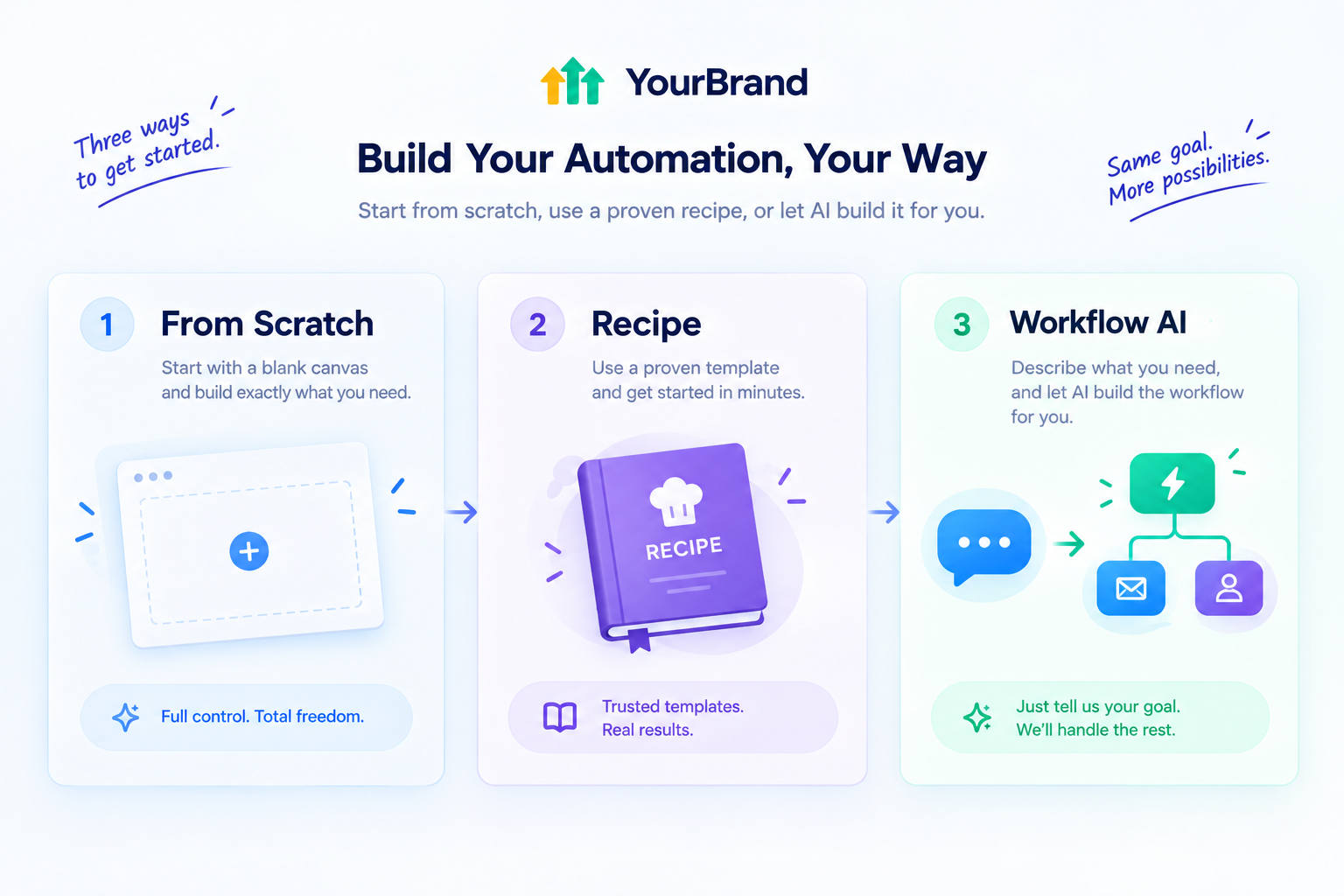
GoHighLevel gives you three starting points:
Start from scratch
Full control over every step, great for learning how it all works
Use a recipe
GoHighLevel offers 17 prebuilt workflow recipes for common processes, and all of them are fully customizable
Use Workflow AI
Describe the automation in plain English, and the builder creates the workflow for you
For example, you could type: "When someone fills out my contact form, send a confirmation email, wait one day, send a follow-up text, and if they don't reply in two days, assign a task to my team." Workflow AI then scaffolds the whole thing.
6 Workflows Every Business Should Have
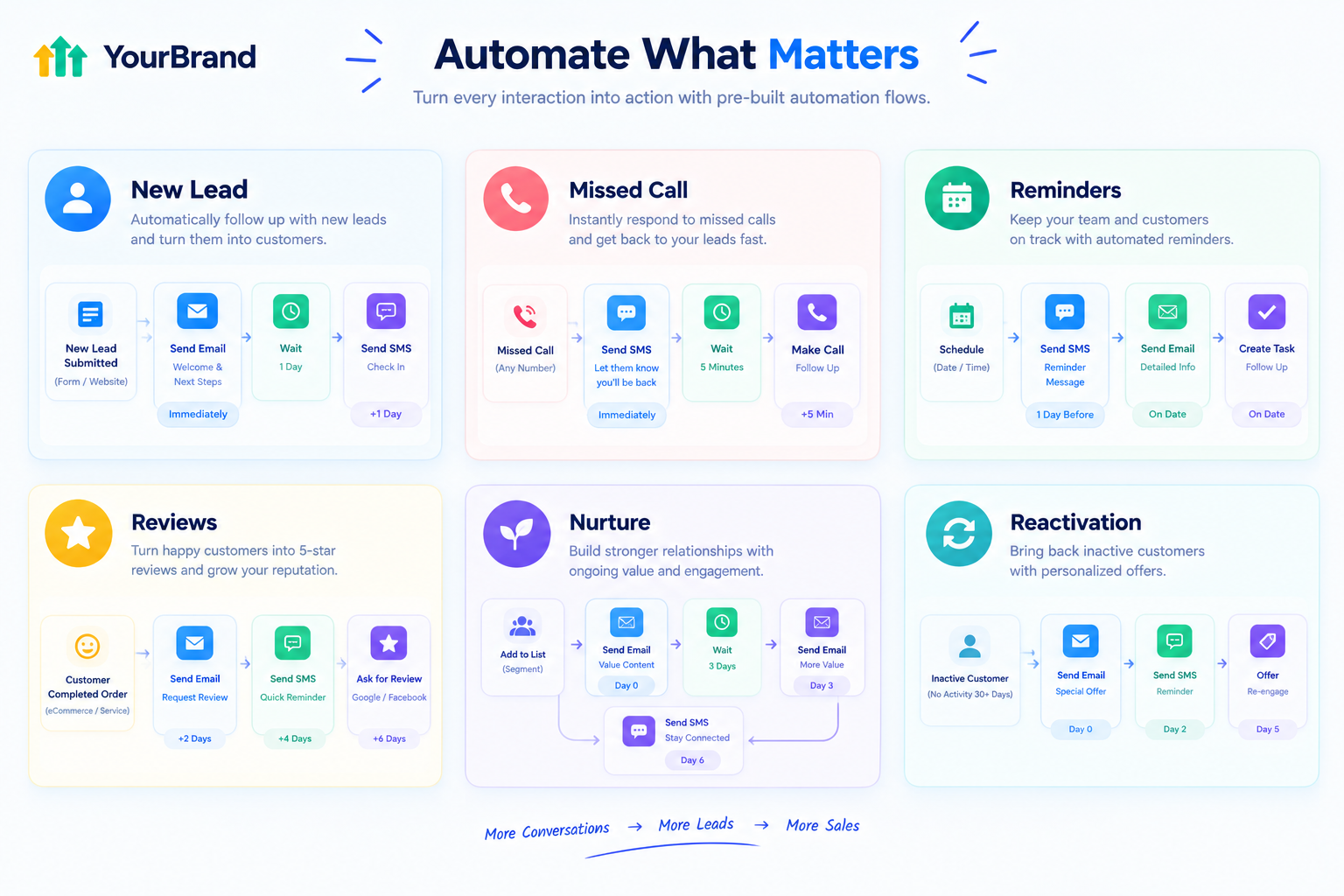
If you're setting up a new client account, start with these. They deliver the fastest wins.
1. New Lead Follow-Up
Trigger: Form submitted
Flow: Instant welcome text → Notify the team → Wait 1 day → Follow-up email → If no reply after 2 days, create a call task
2. Missed-Call Text-Back
Trigger: Missed call
Flow: Instantly text the caller: "Sorry we missed you! How can we help?" → Notify the team
3. Appointment Reminders
Trigger: Appointment booked
Flow: Confirmation text → Reminder 1 day before → Reminder 1 hour before → If marked no-show, send a rebooking link
4. Review Requests
Trigger: Appointment marked as showed or job completed
Flow: Wait 2 hours → Send review request → If no review after 3 days, send one gentle reminder
5. Lead Nurture Sequence
Trigger: Tag added (like "Not Ready Yet")
Flow: Helpful email every few days → If they click or reply, notify the team and move them in the pipeline
6. Cold Lead Reactivation
Trigger: No activity for 60 or 90 days
Flow: Send a "Still interested?" text with a special offer → If they reply, alert the team
How Workflows Work With AI and Other Tools
Workflows don't operate alone. They connect with almost everything else in the platform:
Conversational AI
Trigger AI replies or hand conversations to the team
Voice AI
Automate follow-up calls and route call outcomes
Unified inbox
Auto-assign conversations to the right person
Pipelines
Move deals forward automatically based on actions
Calendars
Send reminders and handle no-shows
Payments
Trigger thank-you messages or onboarding after an invoice is paid
Curious about the AI side? Check out our GoHighLevel conversational AI guide and AI receptionist guide.
Real-World Examples by Industry
| Industry | Workflow Example | Result |
|---|---|---|
| Dental clinics | Recall reminders every 6 months | More repeat cleanings booked |
| Med spas | Post-treatment check-in and rebooking | Higher repeat visits |
| Roofing and HVAC | Instant quote request follow-up | Faster response than competitors |
| Real estate | New listing alerts for tagged buyers | More engaged leads |
| Gyms | Free trial nurture sequence | More trial-to-member conversions |
| Coaches | Discovery call reminders and follow-ups | Fewer no-shows |
Best Practices for Workflow Automation
Start simple
Get core workflows working before building complex ones
Name workflows clearly
"New Lead – Contact Form" beats "Workflow 12"
Space out your messages
Too many actions too fast can overwhelm contacts
Use if/else to personalize
Different behavior deserves different follow-up
Respect time zones
Wait Until steps can follow the contact's time zone when it's set on their record
Test before publishing
Run yourself through every workflow as a test contact
Review results monthly
Check where contacts drop off and improve
Common Mistakes to Avoid
Circular triggers
Avoid setups where Workflow A triggers Workflow B, which triggers A again, since this creates infinite loops
Overlapping workflows
If a "new lead" workflow and a "form submission" workflow both fire on the same form, they can step on each other
No stop conditions
Always stop follow-ups once a lead replies or books
Robotic messaging
Automated doesn't have to mean cold, so write like a human
Set and forget
Offers, hours, and links change, so update workflows regularly
The Real Challenge: Clients Don't See Automations
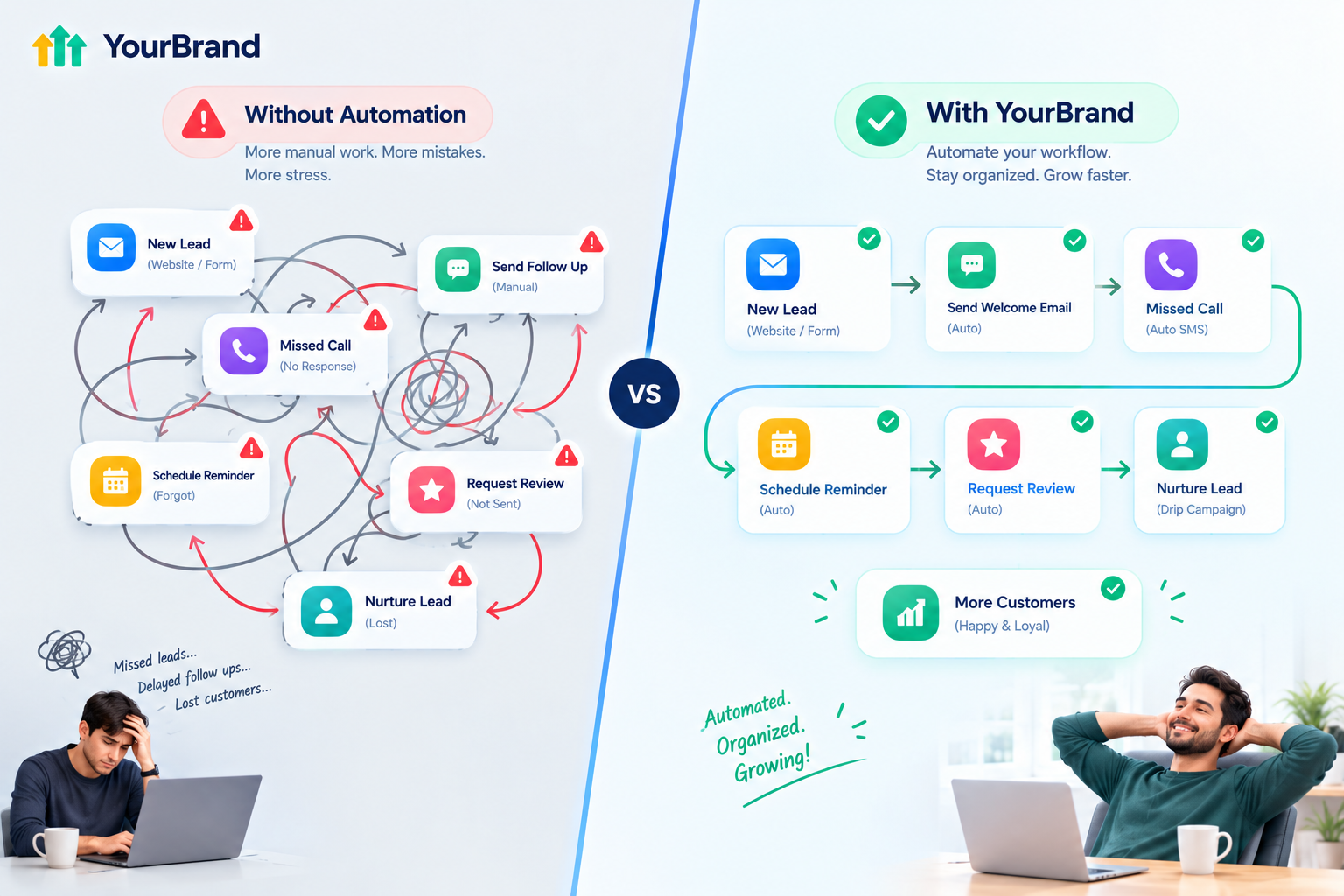
Here's something agencies run into all the time. Workflows run silently in the background. Clients don't see them working. So when renewal time comes around, they ask, "What am I actually paying for?"
Even worse, some clients turn off important workflows by accident, or never switch on the ones that could help them most, simply because they don't understand what they do.
The fix is making automations visible. When clients clearly see how a workflow follows up with leads, reminds customers, and collects reviews for them, they understand the value instantly. And the fastest way to show that is with a short, clear video.
Explain Workflow Automation With Feature Videos
Our white-label GoHighLevel feature videos make complex tools simple. Each video focuses on one feature, like your workflow builder or a specific automation, and explains it in a 45 to 60 second animation your clients understand right away.
Crisp 60fps motion graphics
Matching your dashboard theme
Your brand name and terminology
Throughout, with GoHighLevel never mentioned or shown
Ready-to-embed files
For custom menus, onboarding checklists, help centers, and social posts
Fast delivery
In 3 to 5 business days
Bundle options for workflows, pipelines, calendars, AI tools, and more.
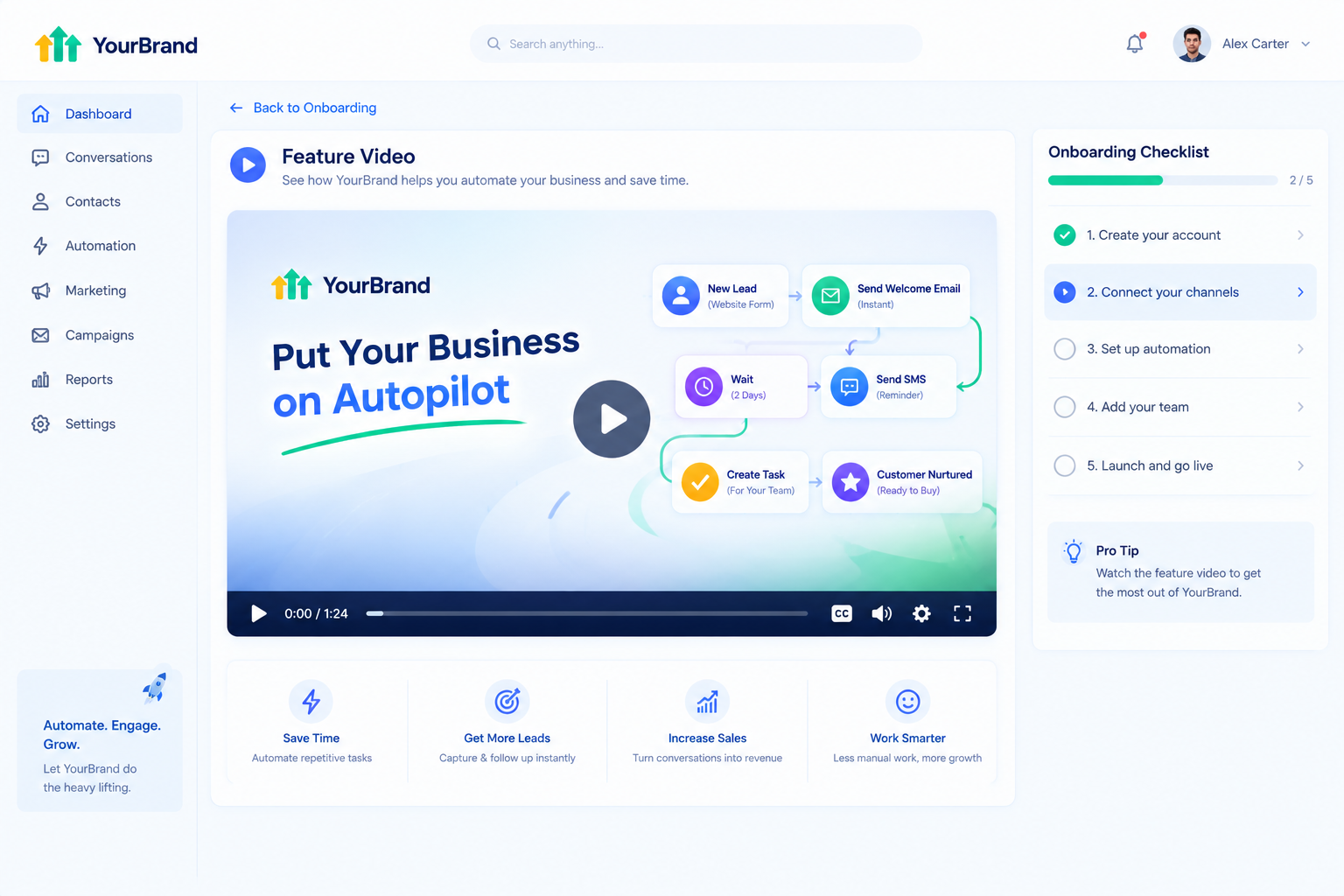
Here's where to use your workflow automation feature video:
| Where to Use It | What It Does |
|---|---|
| Sales pages and ads | Sells "automation" as a clear, tangible benefit |
| Sales calls and emails | Shows prospects what runs on autopilot |
| Onboarding checklists | Helps clients understand which workflows are active |
| Inside your app | Explains the builder before clients open a support ticket |
| Monthly reports | Reminds clients of the value working behind the scenes |
Tips for Selling Workflow Automation
Talk outcomes, not features
"Never forget a follow-up" beats "advanced if/else logic"
Ask about their manual tasks
Most owners spend hours on things a workflow could handle
Show a before-and-after
Manual follow-up vs. automatic follow-up is instantly convincing
Offer done-for-you setup
Many clients would rather pay than build
Use video to explain
A short feature video does more than a long walkthrough
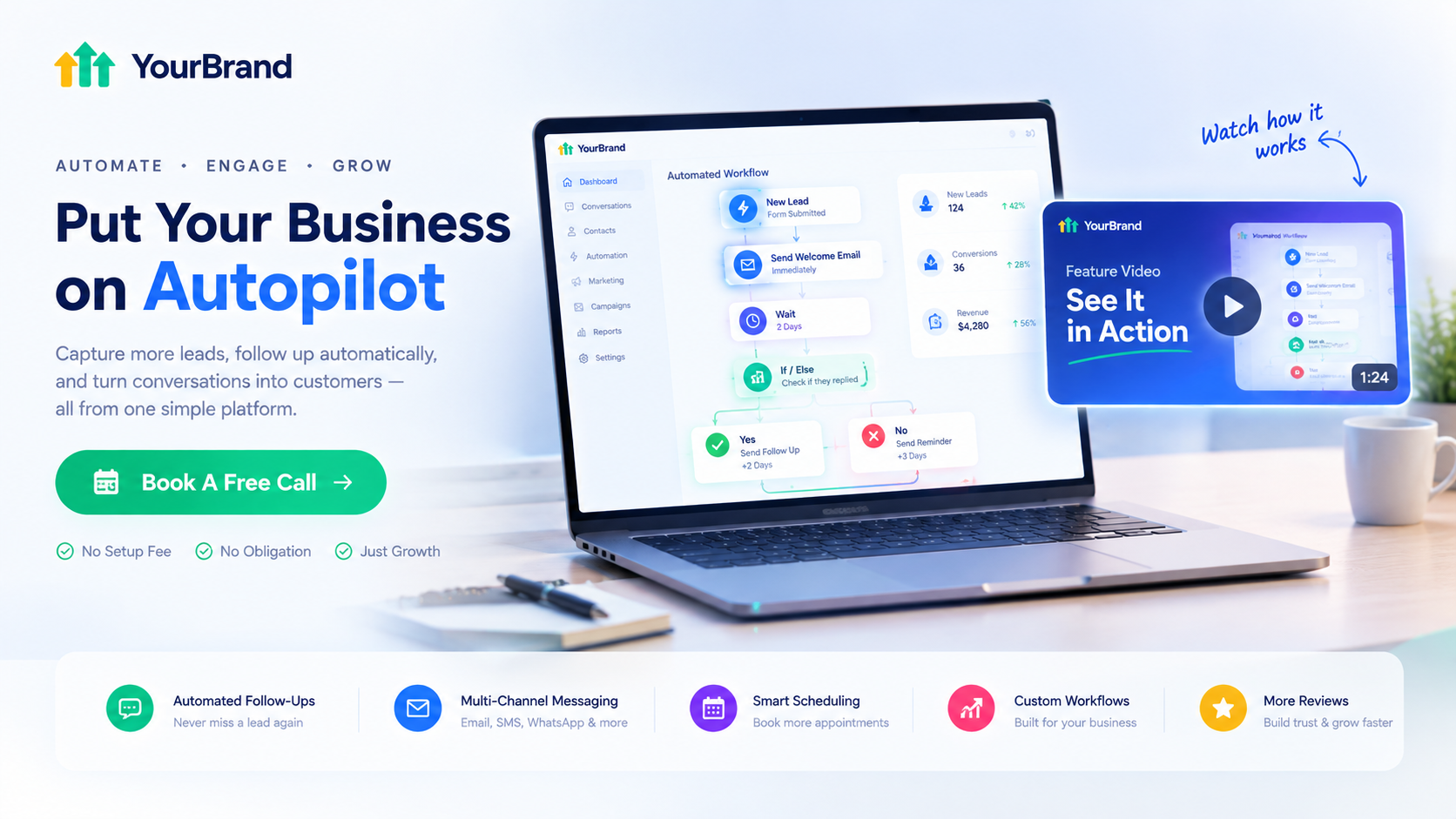
Ready to help clients understand and value their automations?
Book a free call and we'll plan the right feature videos for your platform.
Frequently Asked Questions
What is GoHighLevel workflow automation?
It's a visual tool that runs automated sequences of actions, like texts, emails, and tasks, when a specific event happens.
What are the main parts of a workflow?
Triggers, actions, wait steps, and if/else conditions.
Do I need coding skills to build workflows?
No. The builder is visual, and you can also use prebuilt recipes or Workflow AI.
How many workflows can I create?
There's no hard limit on the number of workflows.
Can workflows trigger other workflows?
Yes, but avoid circular setups that create infinite loops.
What's the first workflow I should build?
A new lead follow-up or missed-call text-back usually delivers the fastest results.
Can workflows work with AI tools?
Yes. Workflows connect with conversational AI, Voice AI, pipelines, calendars, and more.
Will your feature videos mention GoHighLevel?
No. Every video uses your brand name, colors, and terminology. GoHighLevel never appears.
Skip the Loom. Talk to us.
Tell us what you're building. We'll tell you exactly which video it needs.
or write to hello@ghlexplainer.com