GoHighLevel Unified Inbox:
Complete Guide
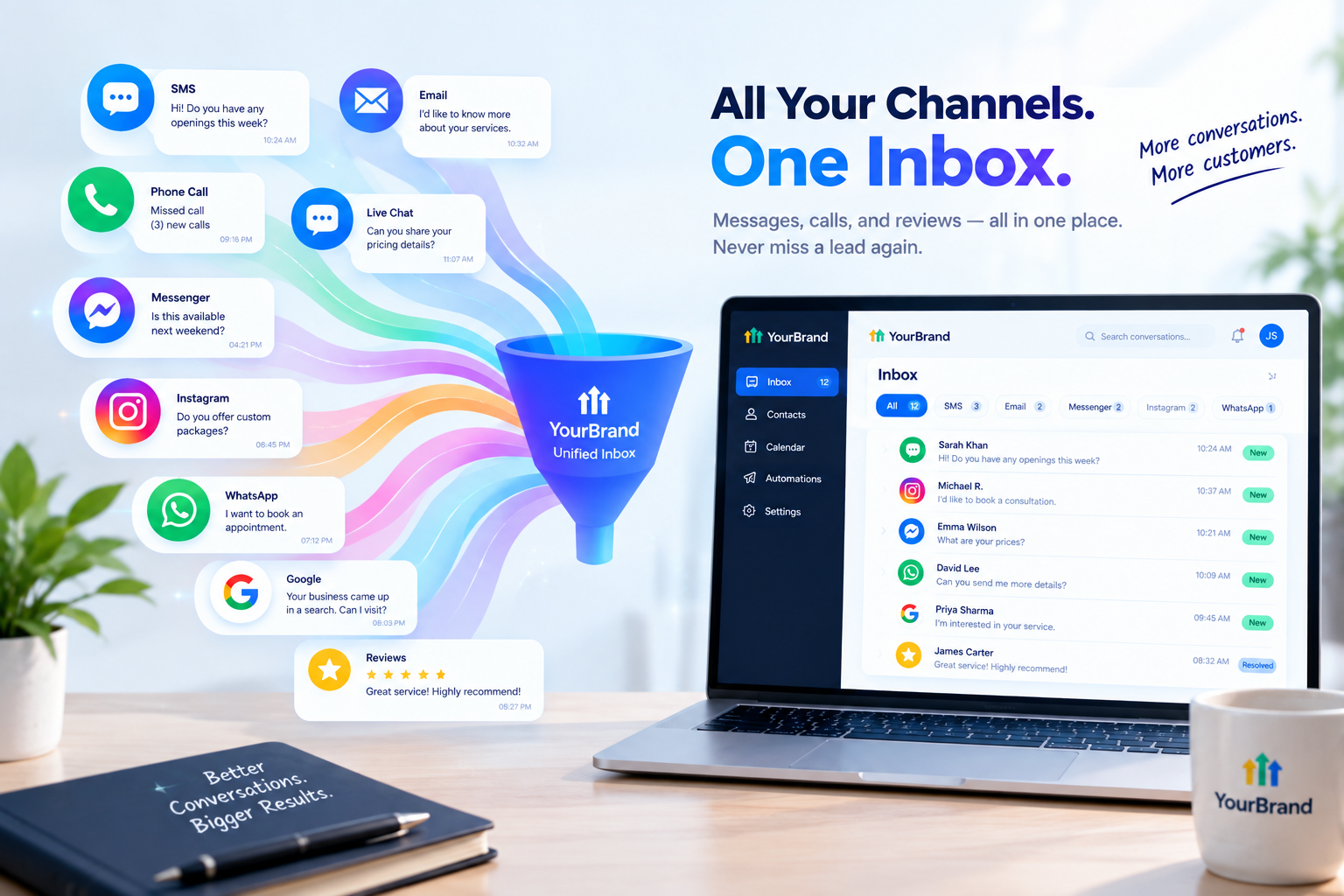
Picture a typical business owner’s morning. Three texts on their phone. Two Instagram DMs. A Facebook message from last night. Five emails. A voicemail. And a Google review that still needs a reply.
Each one lives in a different app. Some get answered. Some get forgotten. And every forgotten message is a lead, customer, or booking that slips away.
The GoHighLevel unified inbox solves this by bringing every conversation into one place. In this guide, we’ll cover what it is, which channels it supports, its most useful features, how to set it up, and how to help your clients actually use it every day.

What Is the GoHighLevel Unified Inbox?
Inside HighLevel, the unified inbox lives in the Conversations tab. It centralizes all communication channels, including SMS, email, calls, and social messages, so businesses can reply from one screen instead of jumping between apps.
And it’s not just a message list. Every conversation is linked to the contact’s CRM record. From the same view, you can manage communication preferences, assign tags, and even check which automations are active for that contact.
That means every reply comes with full context: who the person is, where they came from, and what’s already happened with them.
Which Channels Does It Support?
The unified inbox lets you manage conversations across phone, SMS, Google Business Profile chat, Facebook Messenger, Instagram DMs, and WhatsApp. It even pulls in Google and Facebook reviews so you can read and reply right from Conversations.
| Channel | What You Can Do in the Inbox |
|---|---|
| SMS | Send and receive text messages with leads and customers |
| Reply to emails without opening a separate email app | |
| Phone calls | View call logs and recordings alongside messages |
| Website chat | Respond to live chat widget messages |
| Facebook Messenger | Reply to page and ad inquiries |
| Instagram DMs | Handle direct messages from your Instagram Business account |
| Chat with customers who prefer WhatsApp | |
| Google Business Profile | Answer messages from your Google listing |
| Reviews | Read and reply to Google and Facebook reviews |
Available channels can vary based on what’s connected in each account, so it’s worth checking your integrations during setup.
Before and After the Unified Inbox
Here’s what changes for a typical small business:
| Before | After |
|---|---|
| Checking 6 or more apps every day | Checking one inbox |
| Messages missed or forgotten | Every message tracked in one place |
| No idea who replied to whom | Clear ownership for every conversation |
| Customer history scattered everywhere | Full history linked to each contact |
| Slow replies after hours | AI and automations reply instantly |
| Team notes in separate chats | Internal comments right inside the thread |
Key Features That Save Hours Every Week
The unified inbox is packed with tools that make managing conversations faster. Here are the ones that matter most:
1. Snippets (Saved Replies)
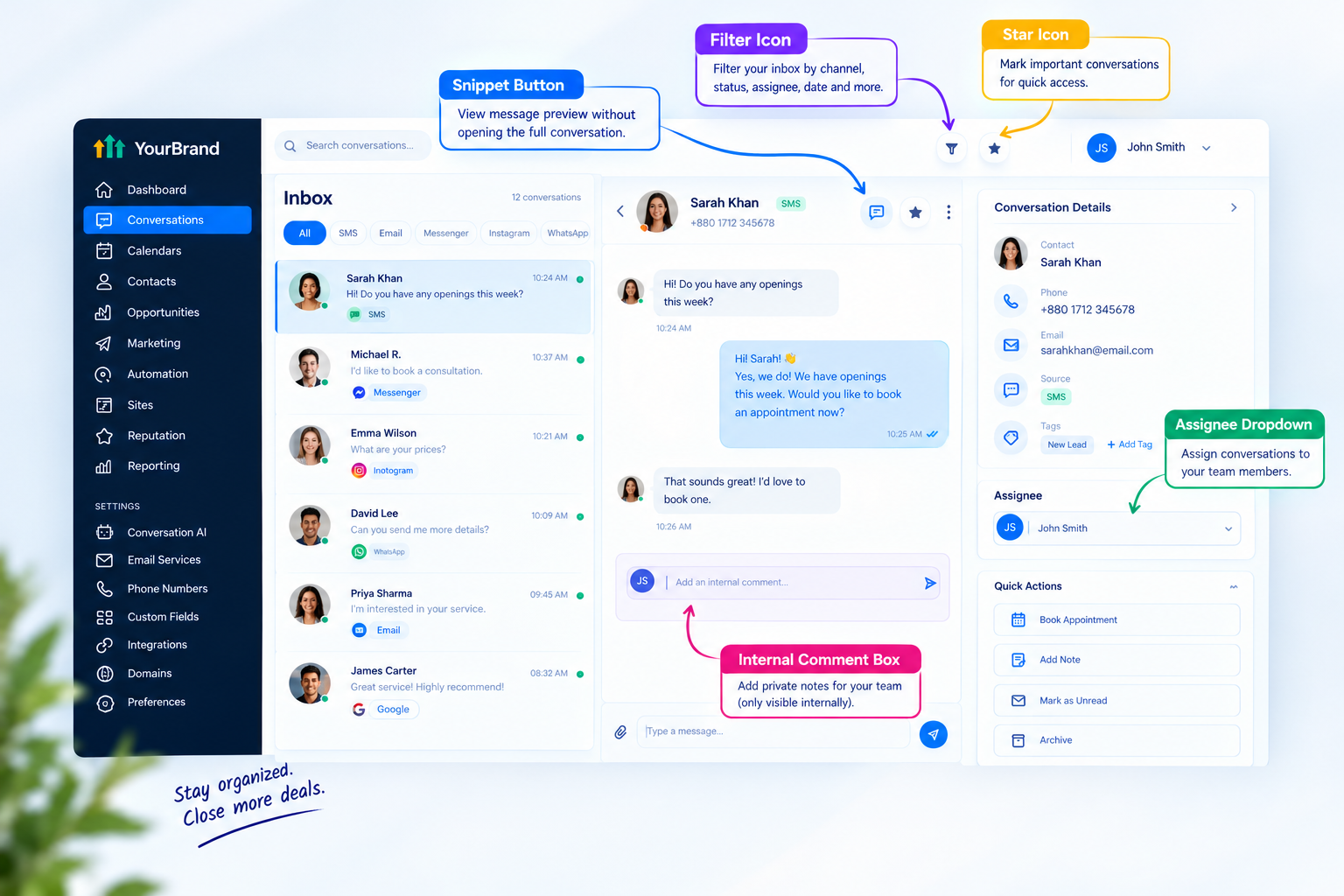
Snippets are pre-written responses for questions you answer again and again, like pricing, hours, or booking links. Click once, personalize if needed, and send. They’re a huge time-saver for busy teams.
2. Internal Comments and @Mentions
Internal comments let team members leave private notes inside a conversation. They’re only visible to people with access to the account, never to the customer. You can also @mention teammates and filter conversations to see where you’ve been mentioned.
3. Conversation Assignment
Assign conversations to specific team members so everyone knows who owns what. You can route conversations by tag or source, or assign them manually.
4. Filters, Search, and Stars
Filter conversations by type, assignee, or status, search for specific contacts, and star important threads so you can find them later.
5. Bulk Actions
Need to clean up your inbox fast? You can select up to 100 conversations at a time to manage them together.
6. Group Texting
Group chat lets you start an SMS conversation with several people at once, which is handy for coordinating with multiple stakeholders.
7. Mobile App Access
Teams can reply on the go through the mobile app, so no one has to be glued to a desk to stay responsive.
How It Works With Automation and AI
This is where the unified inbox goes from “convenient” to “powerful.” Because it lives inside the same platform as workflows and AI tools, conversations can trigger actions automatically.
-
Auto-assign leads: Route new conversations to the right team member based on source or tag
-
Instant AI replies: Conversational AI can answer messages across channels while the team is offline
-
Missed-call text-back: Automatically text callers you couldn’t answer
-
Follow-up workflows: Trigger reminders or sequences when a lead replies (or doesn’t)
-
Pipeline updates: Move leads to the next stage based on conversation outcomes
Want to dive deeper into AI-powered replies? Read our GoHighLevel conversational AI guide .
How to Set Up the Unified Inbox
Here’s a simple setup process for a new client account:
-
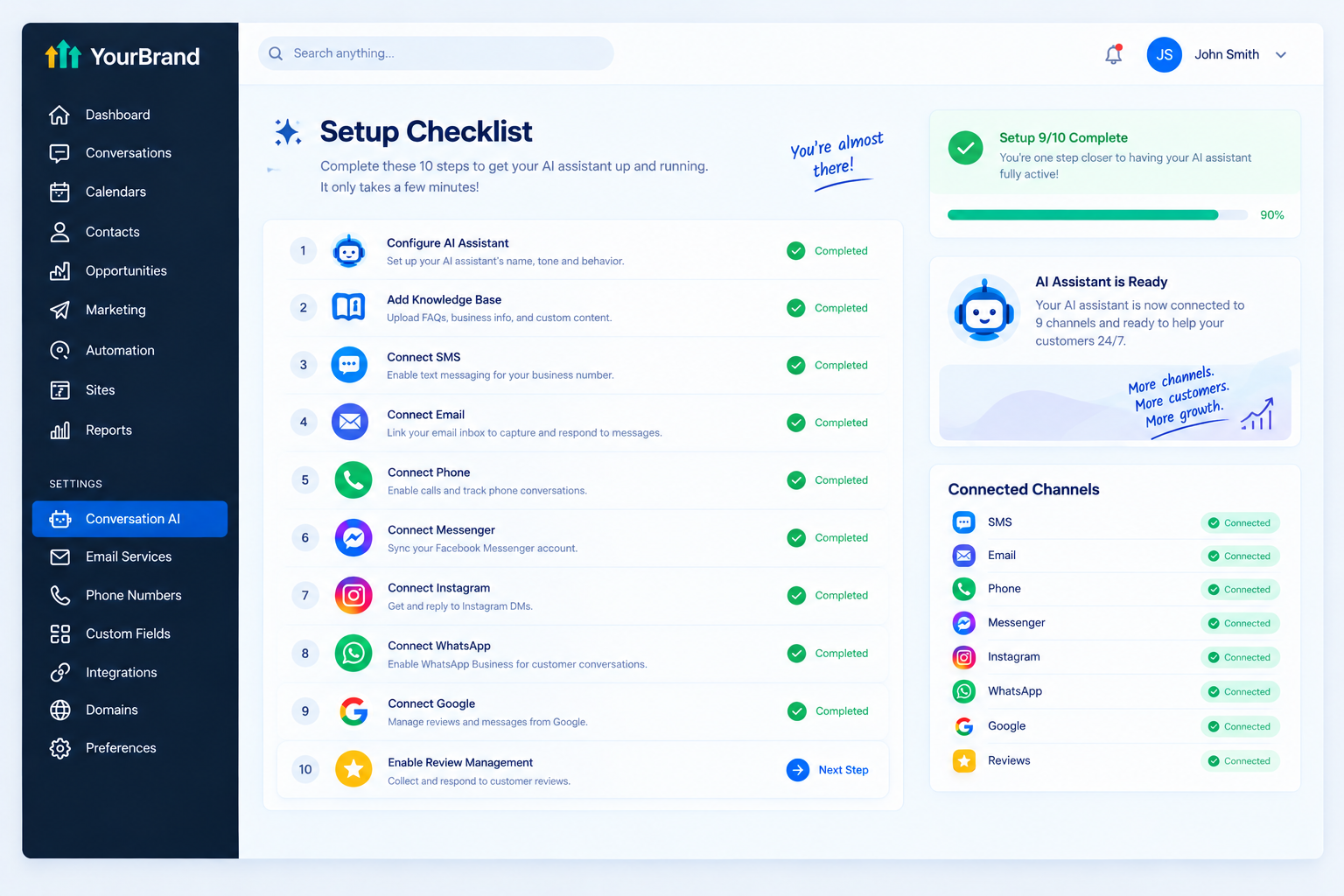
Connect phone and SMS.Set up the business phone number so texts and calls flow in.
-
Connect email.Link the business email so replies stay inside the inbox.
-
Connect social channels.Add the Facebook Page, Instagram Business account, and WhatsApp if needed.
-
Connect Google Business Profile.Bring in Google messages and reviews.
-
Add the website chat widget.Capture website visitors directly into the inbox.
-
Create snippets.Write saved replies for the 10 to 15 most common questions.
-
Add team members.Set permissions and decide who handles which conversations.
-
Set assignment rules.Use workflows to route conversations automatically.
-
Install the mobile app.Make sure the owner and team can reply anywhere.
-
Test every channel.Send a test message through each one to confirm everything lands correctly.
Best Practices for Managing the Inbox
- Set a response time goal: Aim to reply to new leads within minutes, not hours
- Use assignment for every lead: Unassigned conversations are easy to ignore
- Keep snippets updated: Refresh them when pricing, hours, or offers change
- Use internal comments, not side chats: Keep context where the whole team can see it
- Review unread and starred threads daily: Make it part of the morning routine
- Turn on mobile notifications: Especially for owners who are often on the move
- Pair it with AI: Let AI handle after-hours messages so nothing waits overnight
Common Mistakes to Avoid
- Not connecting every channel: Leaving one out means messages still slip through
- No clear ownership: When everyone is responsible, no one replies
- Ignoring reviews: Reviews in the inbox need replies too
- Overusing generic snippets: Always personalize a little before sending
- Skipping training: Teams that don’t understand the inbox go back to old habits
Who Benefits Most?
| Business Type | Biggest Win |
|---|---|
| Med spas and salons | Managing DMs, texts, and booking questions together |
| Dental and medical clinics | Keeping patient communication organized |
| Home services | Responding quickly to quote requests from every channel |
| Real estate teams | Tracking conversations with buyers and sellers in one place |
| Agencies | Managing multiple client communication streams efficiently |
| Restaurants and retail | Handling reviews, social messages, and inquiries together |
The Real Challenge: Getting Clients to Use It
Here’s the problem agencies face. The unified inbox is one of the most valuable features in the platform, but many clients never fully adopt it. They keep replying from Instagram on their phone, checking emails in Gmail, and texting from their personal number.
Why? Because nobody showed them how simple it is. When clients don’t use the inbox, they don’t see the value, and when they don’t see the value, they start thinking about canceling.
The fix is a quick, clear explanation that shows exactly how the inbox makes their life easier. And nothing does that faster than a short video.
Explain the Unified Inbox With Feature Videos
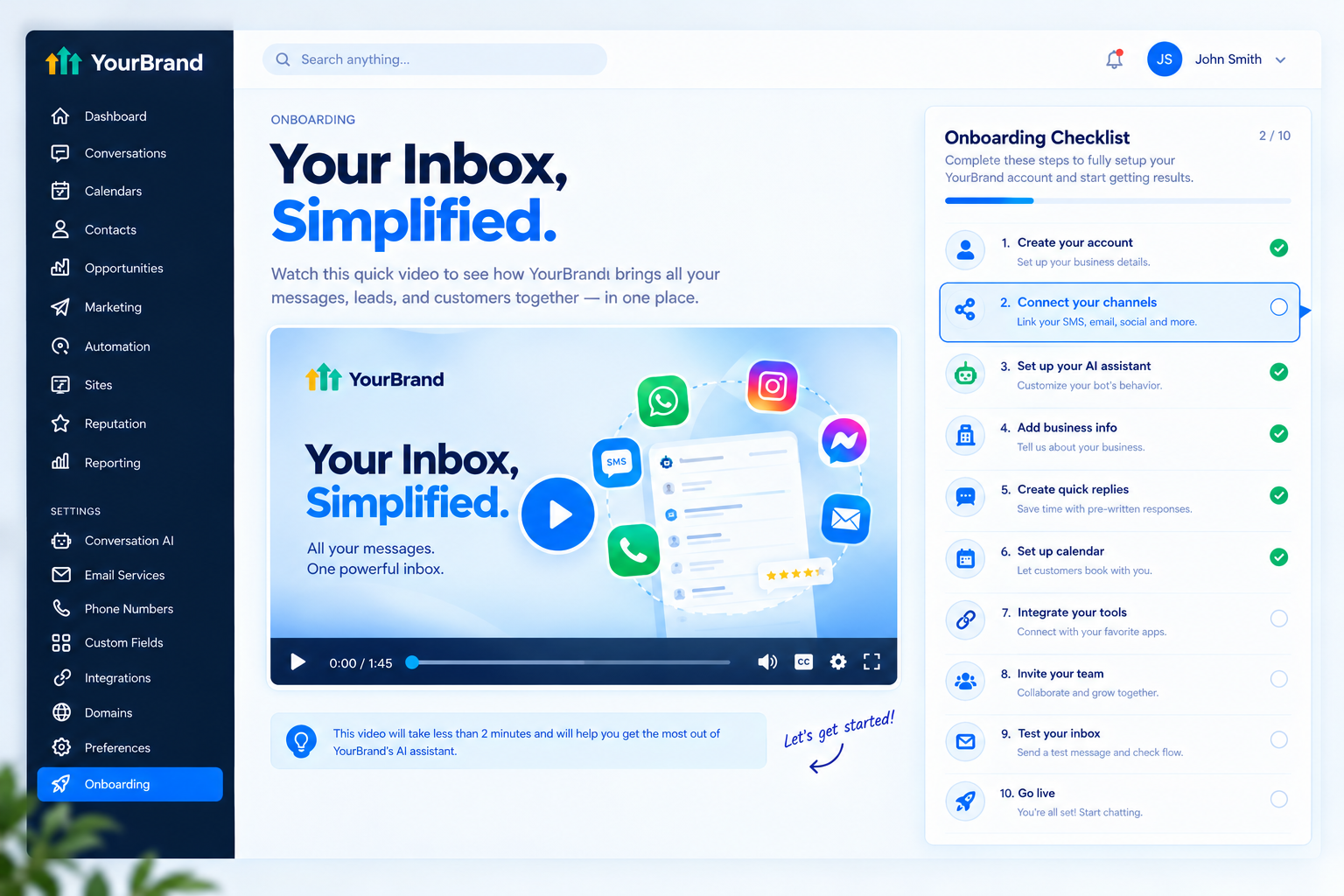
Our white-label GoHighLevel feature videos are made for exactly this. Each one focuses on a single tool, like your unified inbox, and explains it in a 45 to 60 second animation that clients understand instantly.
Here’s what you get:
-
Crisp 60fps motion graphics matching your dashboard theme
-
Your brand name and terminology throughout, with GoHighLevel never mentioned or shown
-
Ready-to-embed files for custom menus, onboarding checklists, help centers, and social posts
-
Fast delivery in 3 to 5 business days
-
Bundle options if you want feature videos for your inbox, calendar, pipelines, AI tools, and more
Here’s where to use your unified inbox feature video:
| Where to Use It | What It Does |
|---|---|
| Sales pages and ads | Shows prospects how your platform replaces multiple apps |
| Sales calls and emails | Demonstrates value in under a minute |
| Onboarding checklists | Guides new clients to connect their channels |
| Inside your app | Answers “how does this work?” before a support ticket |
| Help center | Gives clients a quick refresher anytime |
Tips for Selling the Unified Inbox
-
Ask how many apps they check daily: Most owners have never counted
-
Lead with “never miss a message”: It’s an easy promise to understand
-
Show a real example: A DM, text, and email answered from one screen is instantly convincing
-
Highlight team features: Assignment and internal comments sell well to growing teams
-
Pair it with AI: Instant after-hours replies make the inbox even more valuable
-
Use video in your pitch: A short feature video beats a long explanation every time
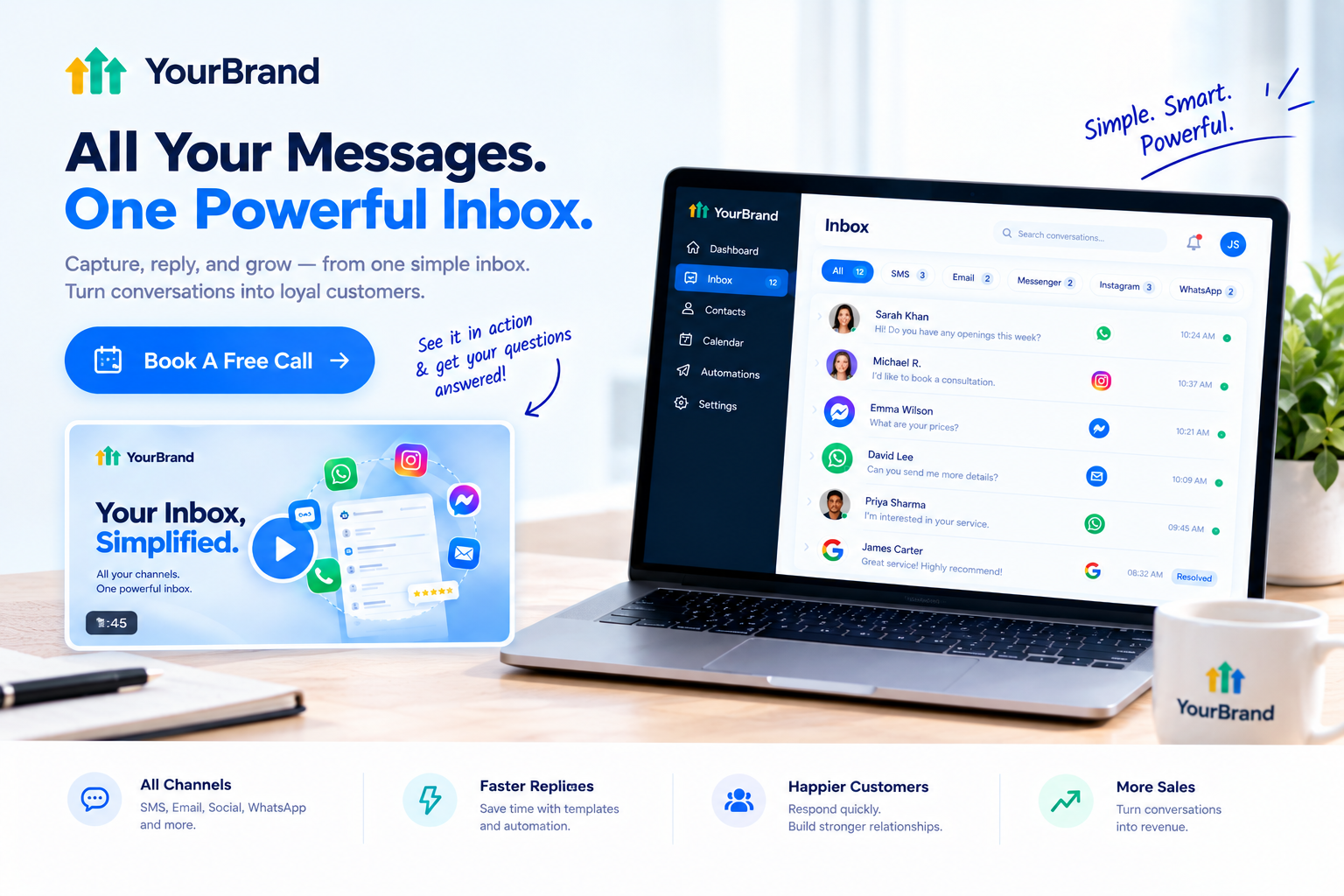
Ready to help clients actually use their unified inbox? Book A Free Call and we’ll plan the right feature videos for your platform.
Frequently Asked Questions
What is the GoHighLevel unified inbox? It’s the Conversations tab in HighLevel, which brings SMS, email, calls, social messages, chat, and reviews into one place.
Which channels can I connect? Common channels include SMS, email, phone, website chat, Facebook Messenger, Instagram DMs, WhatsApp, and Google Business Profile messages.
Can I reply to reviews from the inbox? Yes. Google and Facebook reviews can be read and replied to directly from Conversations.
Can my team share the inbox? Yes. You can assign conversations, leave internal comments, and @mention teammates.
Are internal comments visible to customers? No. Internal comments are private and only visible to users with access to the account.
Can I use the unified inbox on my phone? Yes. The mobile app lets you read and reply to conversations on the go.
Is the unified inbox included in every plan? Conversations is a core feature, but always confirm current plan details with HighLevel.
Will your feature videos mention GoHighLevel? No. Every video uses your brand name, colors, and terminology. GoHighLevel never appears.
Want Feature Videos That Actually Get Clients to Use Your Unified Inbox?
Get high-converting, 60fps white-label feature explainer videos showcasing your unified inbox, designed to reduce churn and skyrocket platform adoption.
Talk to Our Video TeamReady to Upgrade Your SaaS Marketing?
Stop losing prospects to blurry Loom recordings. Give your HighLevel software the high-converting, professional video funnels it deserves.