GoHighLevel CRM Features : Complete Guide
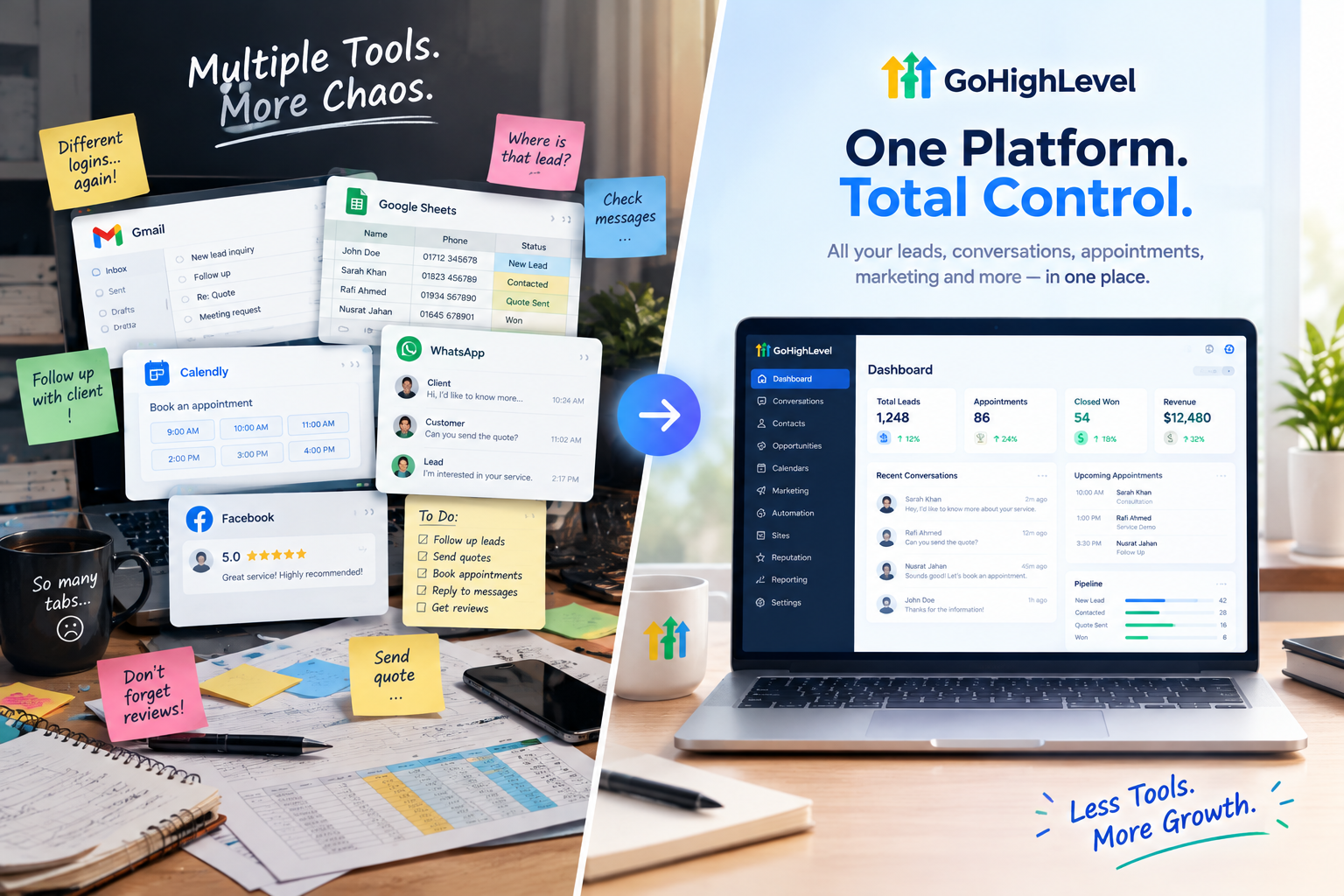
Most small businesses run on a messy mix of tools. A spreadsheet for leads. A separate app for booking. Another for email. Another for texting. Another for reviews. And somehow, they’re supposed to keep track of it all.
GoHighLevel was built to replace that chaos with one platform. But because it does so much, many agency owners and business owners only use a fraction of what’s available.
In this guide, we’ll walk through the most important GoHighLevel CRM features, what each one does, how they work together, and how to help your clients actually use them every day.
What Is the GoHighLevel CRM?
The CRM is the foundation of everything in GoHighLevel. Every lead, conversation, appointment, deal, and payment connects back to a contact record, which means nothing lives in isolation.
For agencies, there’s another big advantage. Each sub-account has its own CRM, pipelines, workflows, funnels, and communication channels, so every client gets their own fully separate workspace. And with white-labeling, clients see your brand, not GoHighLevel.
GoHighLevel CRM Features at a Glance
Here’s a quick overview before we dive into each one:
| Feature | What It Does |
|---|---|
| Contact Management | Stores every lead and customer with full history |
| Smart Lists | Automatically segments contacts based on rules |
| Pipelines and Opportunities | Tracks deals visually through sales stages |
| Unified Inbox | Manages SMS, email, calls, and social messages in one place |
| Calendars | Lets customers book appointments online |
| Workflow Automation | Runs follow-ups and tasks automatically |
| AI Tools | Answers calls and messages, writes content, replies to reviews |
| Reputation Management | Requests and manages online reviews |
| Funnels, Websites, and Forms | Captures leads directly into the CRM |
| Email and SMS Marketing | Sends campaigns to targeted segments |
| Payments and Invoicing | Collects payments and tracks revenue |
| Reporting and Analytics | Shows what’s working and what’s not |
| Mobile App | Manages the business on the go |
Now let’s look at each one more closely.
1. Contact Management
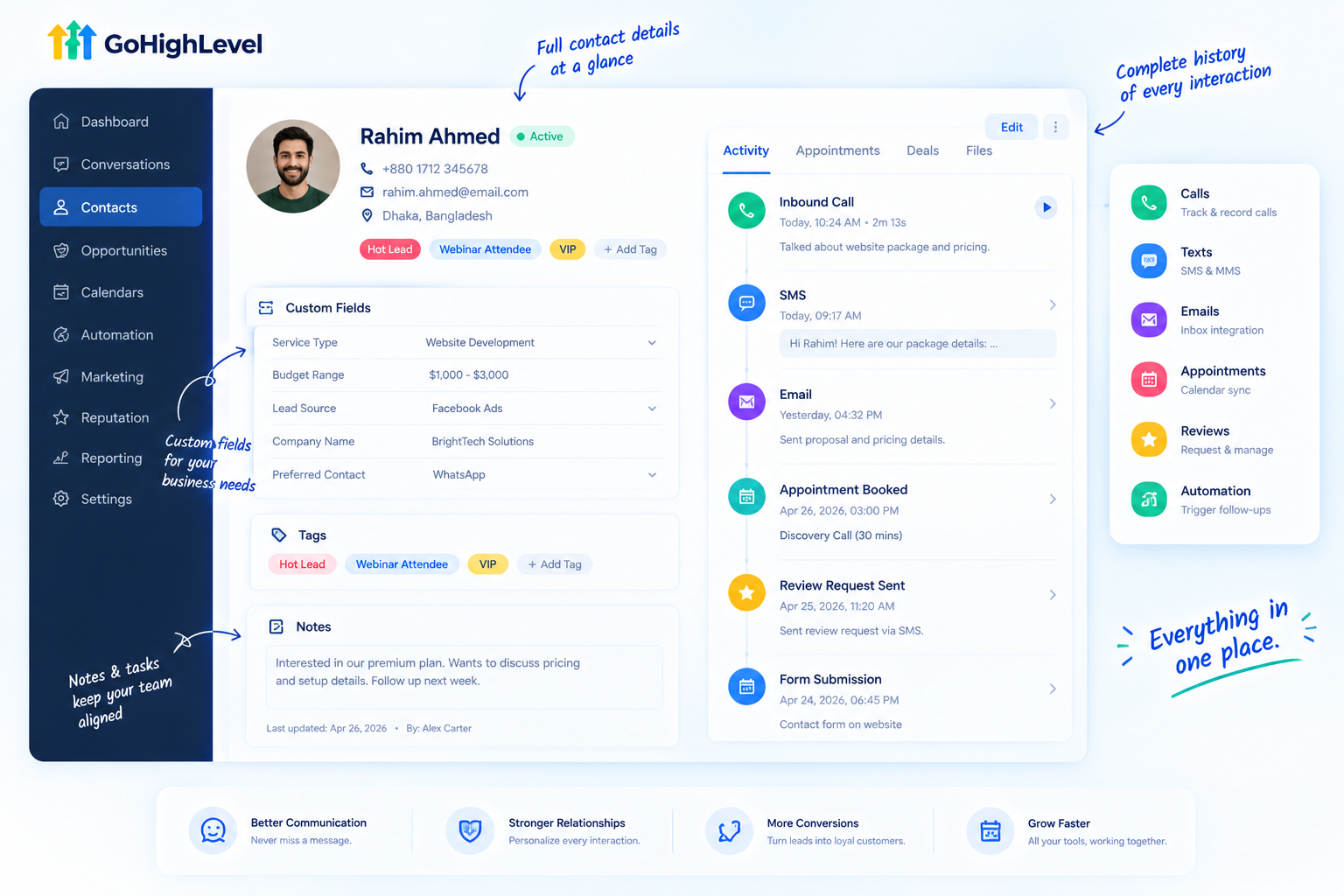
Every person who interacts with a business gets a contact record. Each one stores the full history: calls, emails, SMS, form submissions, appointments, payments, notes, and custom fields.
That means anyone on the team can open a contact and instantly see the whole story, no digging through inboxes required.
Key contact tools include:
And one feature agencies love: contacts are unlimited on all GoHighL evel plans.
2. Smart Lists
Smart Lists are one of the most underrated GoHighLevel CRM features. They automatically update in real time, adding or removing contacts based on tags, custom fields, engagement activity, or opportunity stages.
Think of them as saved filters that maintain themselves. A few examples:
Even better, Smart Lists can be used as automation triggers, so the right message reaches the right group automatically.
3. Pipelines and Opportunities
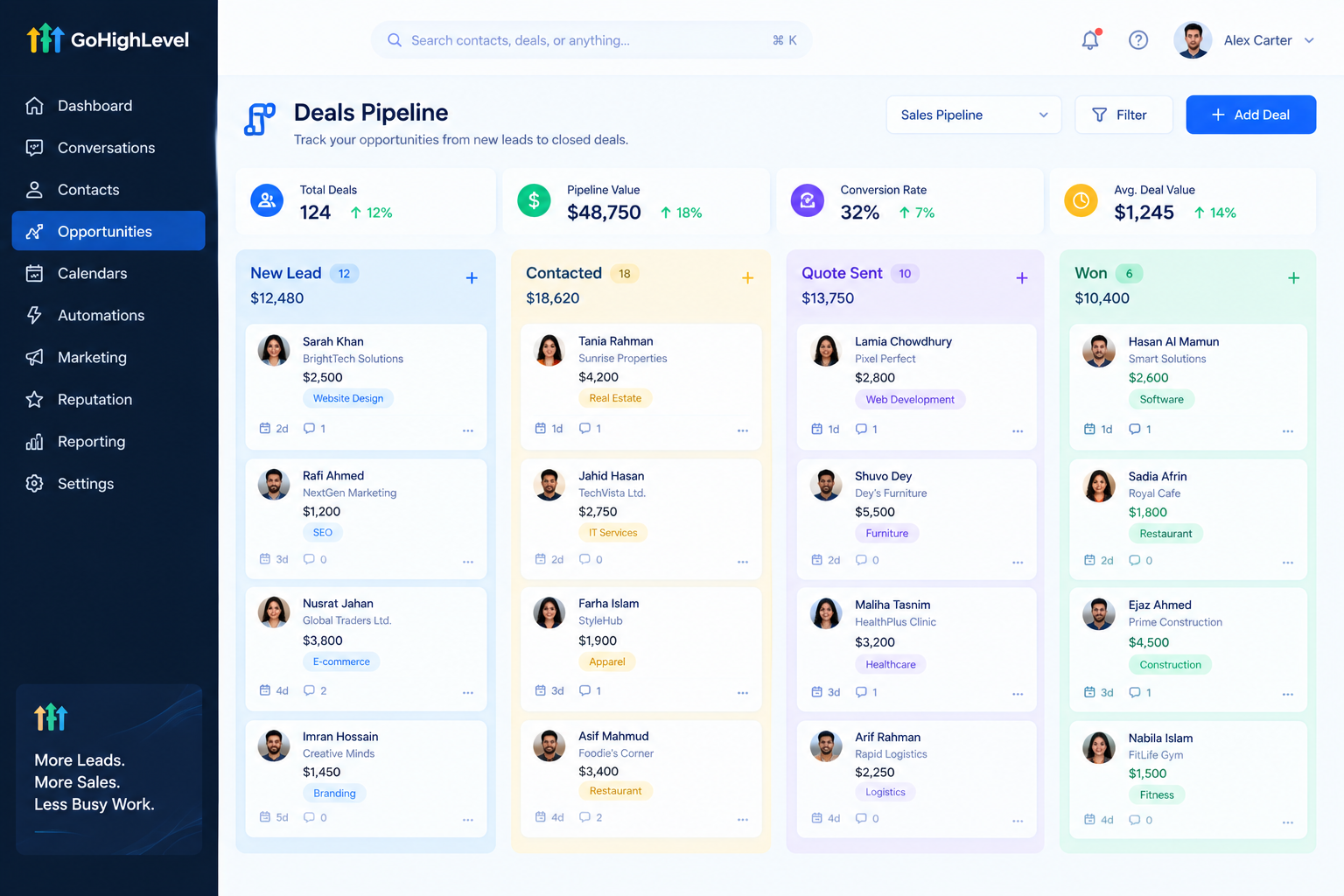
Pipelines give businesses a visual, Kanban-style board for tracking deals. You drag contacts from one stage to the next, like “New Lead,” “Contacted,” “Quote Sent,” and “Won.”
What makes them powerful:
For business owners, this answers the big question every week: “Where do my deals stand?”
4. Unified Inbox
The Conversations tab brings SMS, email, calls, website chat, Facebook, Instagram, WhatsApp, and more into one inbox. Every message links to the contact record, so replies always come with context.
Want the full breakdown? Read our GoHighLevel unified inbox guide .
5. Calendars and Appointment Booking
Customers can book appointments online through calendars that sync with the CRM. Bookings automatically create or update contacts, trigger reminders, and can move deals forward in the pipeline.
Popular uses include consultations, service appointments, discovery calls, and team round-robin scheduling.
6. Workflow Automation
Workflows are the engine that runs the CRM on autopilot. They follow up with leads, send reminders, request reviews, and update records, all based on triggers you set.
Learn how they work in our GoHighLevel workflow automation guide .
7. AI Tools
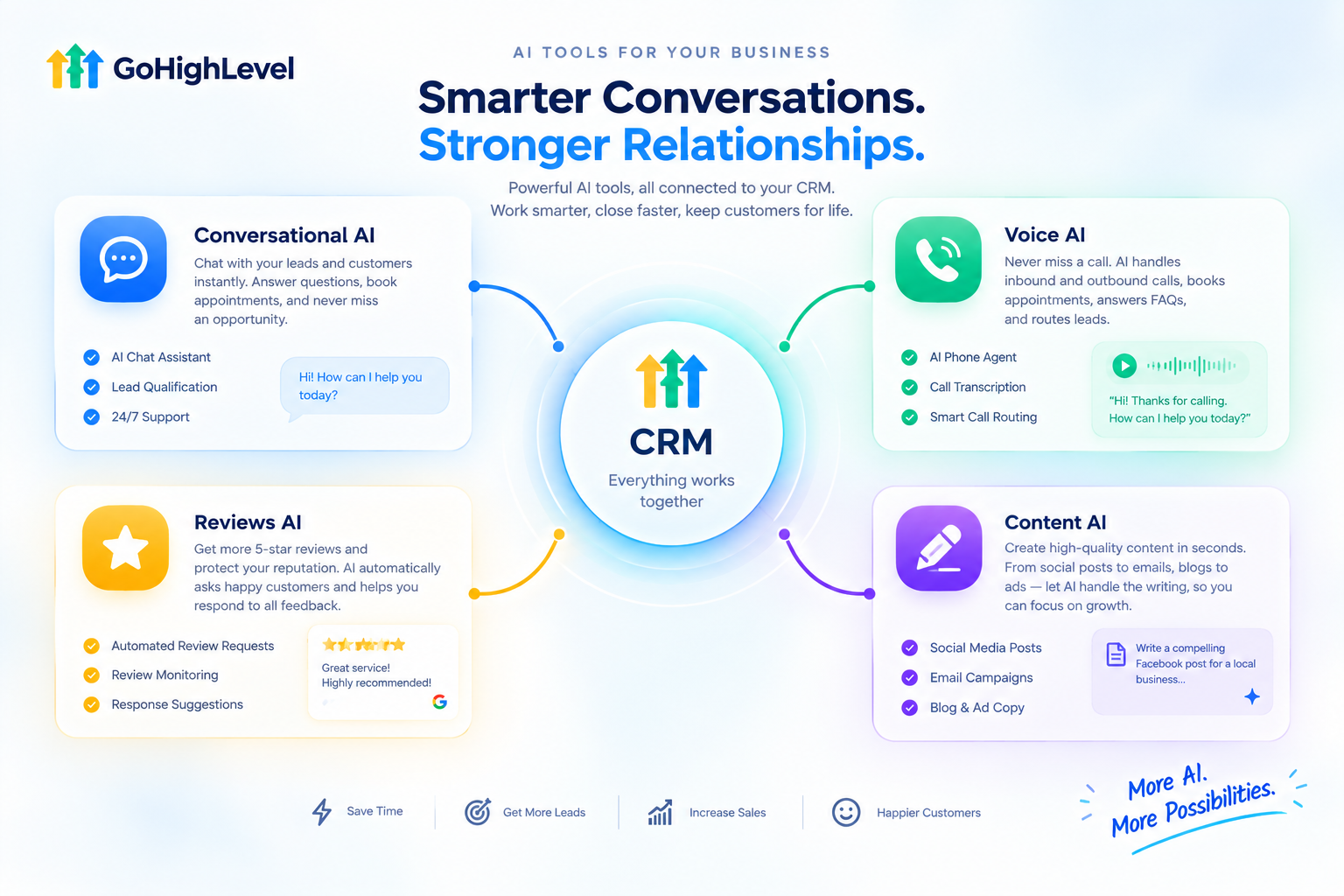
AI is now built right into the CRM. The most popular tools include:
Dive deeper with our guides on the GoHighLevel AI Employee , AI receptionist , and conversational AI .
8. Reputation Management
Reviews matter more than ever. The CRM can automatically send review requests after a service, and businesses can read and reply to Google and Facebook reviews from one place. With AI, replies can be drafted in seconds.
9. Funnels, Websites, and Forms
Every lead captured through a funnel, website, form, or survey goes straight into the CRM, with tags and custom fields filled in automatically. No copying and pasting between tools.
10. Email and SMS Marketing
Businesses can send email newsletters, promotions, and SMS campaigns to targeted Smart Lists. Merge fields like first name and company make every message feel personal.
11. Payments and Invoicing
Send invoices, collect payments, and connect payment processors so every transaction is tied to a contact. Payments can also trigger workflows, such as thank-you messages or onboarding sequences.
12. Reporting and Analytics
The reporting dashboard shows:
13. Mobile App
Owners and teams can reply to messages, check pipelines, and manage contacts from their phones. For busy business owners who are rarely at a desk, this is often the feature they use most.

GoHighLevel CRM vs. Traditional CRMs
How does it compare to platforms like HubSpot or Salesforce? Here’s an honest look:
| GoHighLevel CRM | Traditional CRMs | |
|---|---|---|
| All-in-one tools | CRM, marketing, booking, AI, and payments built in | Often need add-ons or extra apps |
| Contacts | Unlimited on all plans | Often priced by contact volume |
| White-labeling | Fully rebrandable for agencies | Rarely available |
| Sub-accounts | Separate workspace for each client | Usually not designed for agencies |
| Reporting depth | Solid for small businesses | Often more advanced |
| Enterprise features | Limited custom objects | Deeper enterprise customization |
In short: GoHighLevel wins on unlimited contacts, sub-account structure, inbox depth, and white-label capability, while it trails on reporting depth and enterprise-level features. For small businesses and agencies, that trade-off is usually worth it.
Who Benefits Most From GoHighLevel CRM Features?
| Business Type | Most Valuable Features |
|---|---|
| Marketing agencies | Sub-accounts, white-labeling, SaaS mode |
| Med spas and salons | Calendars, reminders, reviews, AI chat |
| Dental and medical clinics | Booking, recall workflows, AI receptionist |
| Home services | Pipelines, missed-call text-back, quotes |
| Real estate | Smart Lists, pipelines, follow-up automation |
| Coaches and consultants | Funnels, calendars, payments, courses |
How to Set Up the CRM for a New Client
Import existing contacts from spreadsheets or old tools
Create 5 to 10 core custom fields like service type and lead source
Set up a clear tag system so everyone uses the same labels
Build key Smart Lists like Hot Leads and Pending Reviews
Create the sales pipeline with stages that match the real sales process
Connect calendars and communication channels
Turn on essential workflows like lead follow-up and reminders
Install the mobile app for the owner and team
Train the team on the features they’ll use daily
Common Mistakes to Avoid

The Real Challenge: Feature Overload
Here’s the honest truth about GoHighLevel. It has so many features that clients often feel overwhelmed. They log in, see dozens of menu items, and quietly go back to their old spreadsheet.
Even GoHighLevel’s own users mention it. Reviews often note that the sheer number of features can feel overwhelming at first.
When clients only use one or two features, they don’t see the full value of what they’re paying for, and that makes them much more likely to cancel. The fix isn’t fewer features. It’s helping clients understand each feature quickly, one at a time.
Explain Every CRM Feature With Feature Videos
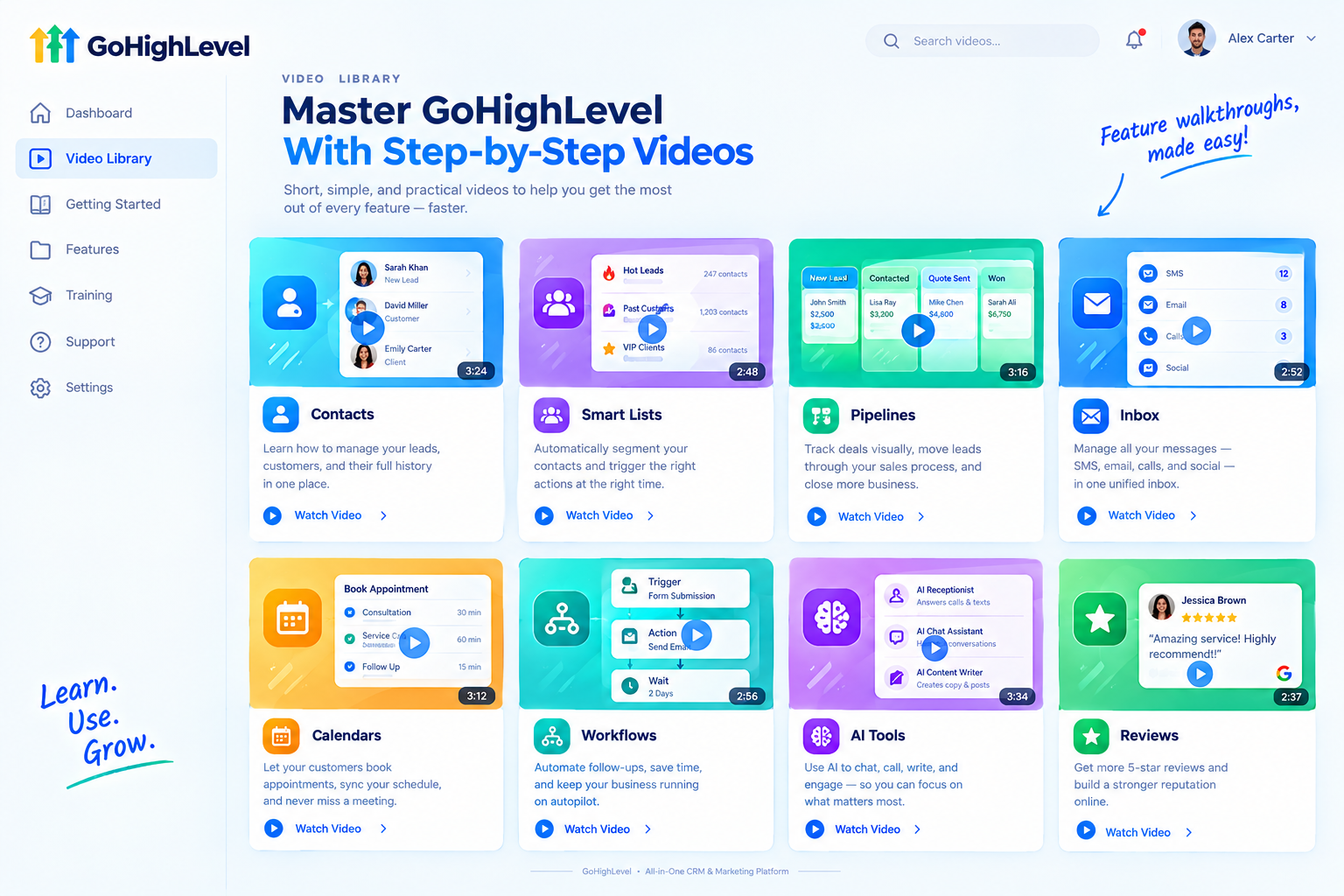
That’s exactly what our white-label GoHighLevel feature videos are built for. Instead of overwhelming clients with an hour-long training session, each video focuses on one single feature and explains it in a quick 45 to 60 second animation.
Imagine a short video for every key feature in this guide: contacts, Smart Lists, pipelines, inbox, calendars, workflows, AI tools, and reviews. Clients learn each one exactly when they need it.
Here’s what’s included:
| Where to Use Feature Videos | What They Do |
|---|---|
| Sales pages and ads | Show prospects what your platform can do |
| Onboarding checklists | Guide clients through setup one feature at a time |
| Inside your app | Explain each tool right where clients use it |
| Help center | Reduce repetitive support tickets |
| Social media | Showcase your platform’s features to new audiences |
Tips for Selling GoHighLevel CRM Features
Ready to help clients understand and use every feature in your platform?
Book A Free Call and we’ll plan the right feature video library for you.
Frequently Asked Questions
What are the main GoHighLevel CRM features?
Contact management, Smart Lists, pipelines, a unified inbox, calendars, workflows, AI tools, reputation management, funnels, marketing, payments, and reporting.
Does GoHighLevel limit the number of contacts?
No. Contacts are unlimited on all plans.
What are Smart Lists in GoHighLevel?
They’re saved contact segments that update automatically based on tags, fields, activity, or pipeline stages.
Can I create multiple sales pipelines?
Yes. You can build separate pipelines for different services, products, or client types.
Is GoHighLevel better than HubSpot?
It depends. GoHighLevel is stronger for agencies and small businesses wanting all-in-one tools and white-labeling, while HubSpot offers deeper reporting and enterprise features.
Can I white-label the GoHighLevel CRM?
Yes. Agencies can rebrand the platform and resell it under their own name.
Is there a mobile app?
Yes. Owners and teams can manage contacts, conversations, and pipelines from their phones.
Will your feature videos mention GoHighLevel?
No. Every video uses your brand name, colors, and terminology. GoHighLevel never appears.
Skip the Loom. Talk to us.
Tell us what you're building. We'll tell you exactly which video it needs.
or write to hello@ghlexplainer.com