GoHighLevel Conversational AI
Explained
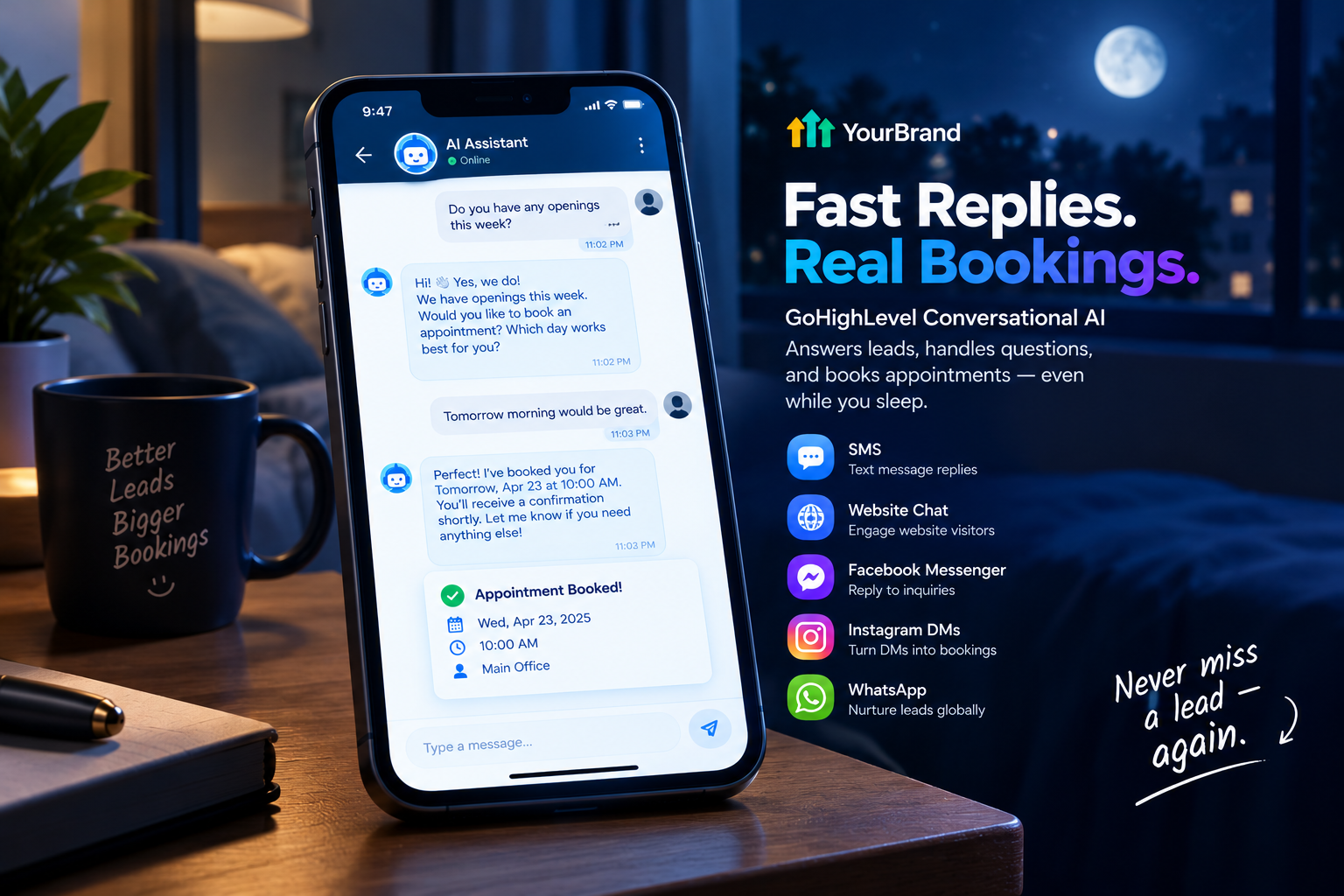
A lead sends a text at 11 PM asking, “Do you have any openings this week?” If nobody replies until the next morning, there’s a good chance they’ve already booked with someone else.
Today’s customers expect fast answers, whether they message through a website chat, Instagram, Facebook, or a simple text. That’s exactly the gap GoHighLevel conversational AI fills. It replies to leads in seconds, answers their questions, and books appointments, even while the business is closed.
In this guide, we’ll break down what it is, how it works, which channels it covers, how to set it up the right way, and how to help your clients actually get results from it.
What Is GoHighLevel Conversational AI?
Inside HighLevel, this tool is officially called Conversation AI. It’s an AI-powered bot built natively inside the GHL platform that automatically responds to inbound messages across multiple channels on behalf of a business.
Think of it as a smart team member that lives in the inbox. It can answer questions, qualify leads, book appointments, and keep conversations moving across SMS, Instagram, Facebook Messenger, WhatsApp, and web chat.
And unlike old-school chatbots that follow rigid scripts, it actually understands context. If a lead shifts topics mid-conversation, the bot follows along rather than losing its place and sending an irrelevant reply.
Old Chatbots vs. Conversational AI
If your clients have been burned by clunky chatbots before, this comparison helps explain the difference:
| Traditional Chatbot | GoHighLevel Conversational AI | |
|---|---|---|
| How it replies | Fixed scripts and buttons | Natural, human-like messages |
| Handling questions | Breaks on unexpected questions | Understands context and follows along |
| Knowledge | Only what’s hard-coded | Learns from the business’s knowledge base |
| Booking | Sends a link | Books directly into the calendar |
| Channels | Usually website only | SMS, chat, and social messages |
| Customer experience | Often frustrating | Feels like texting a real person |
Which Channels Does It Work On?
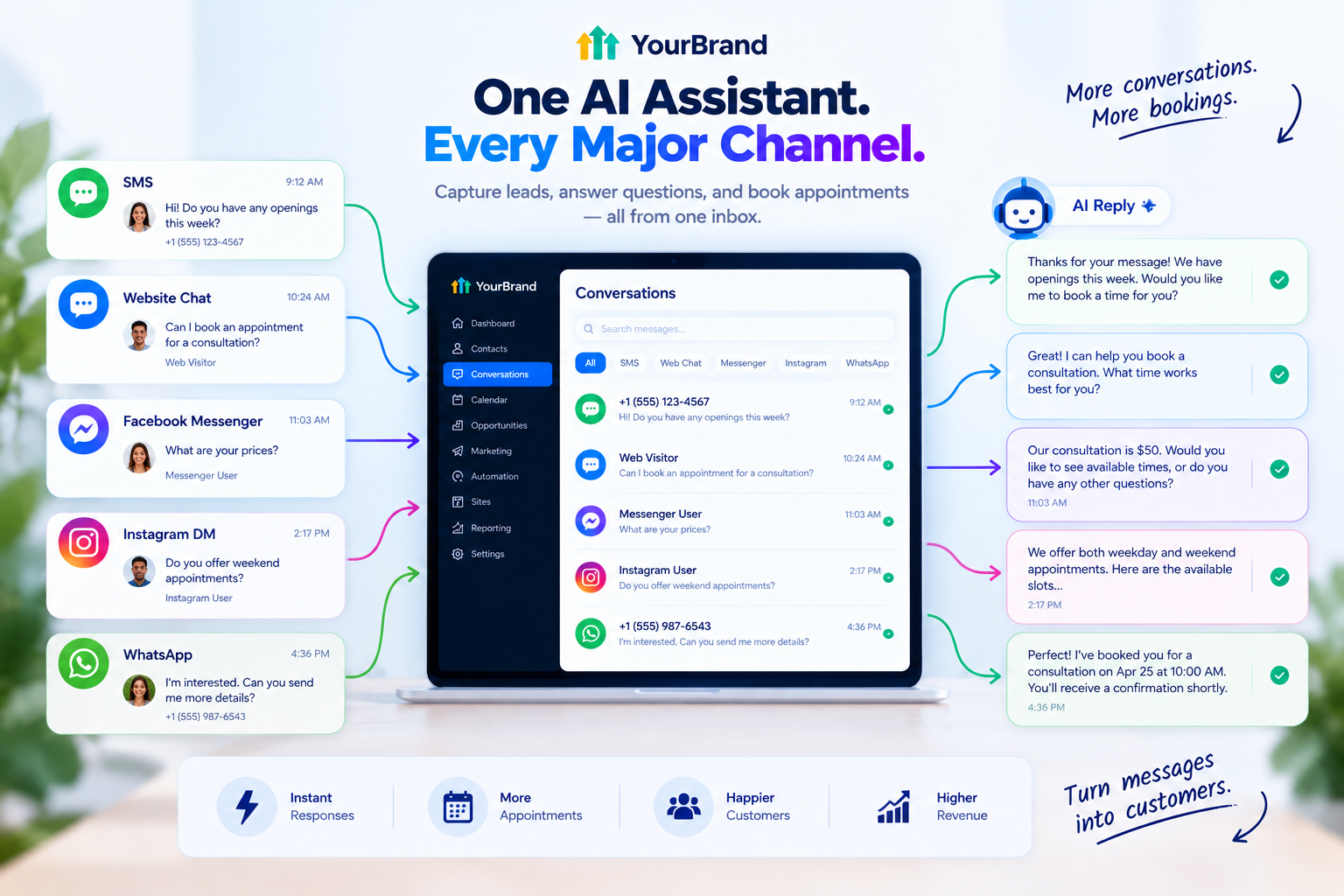
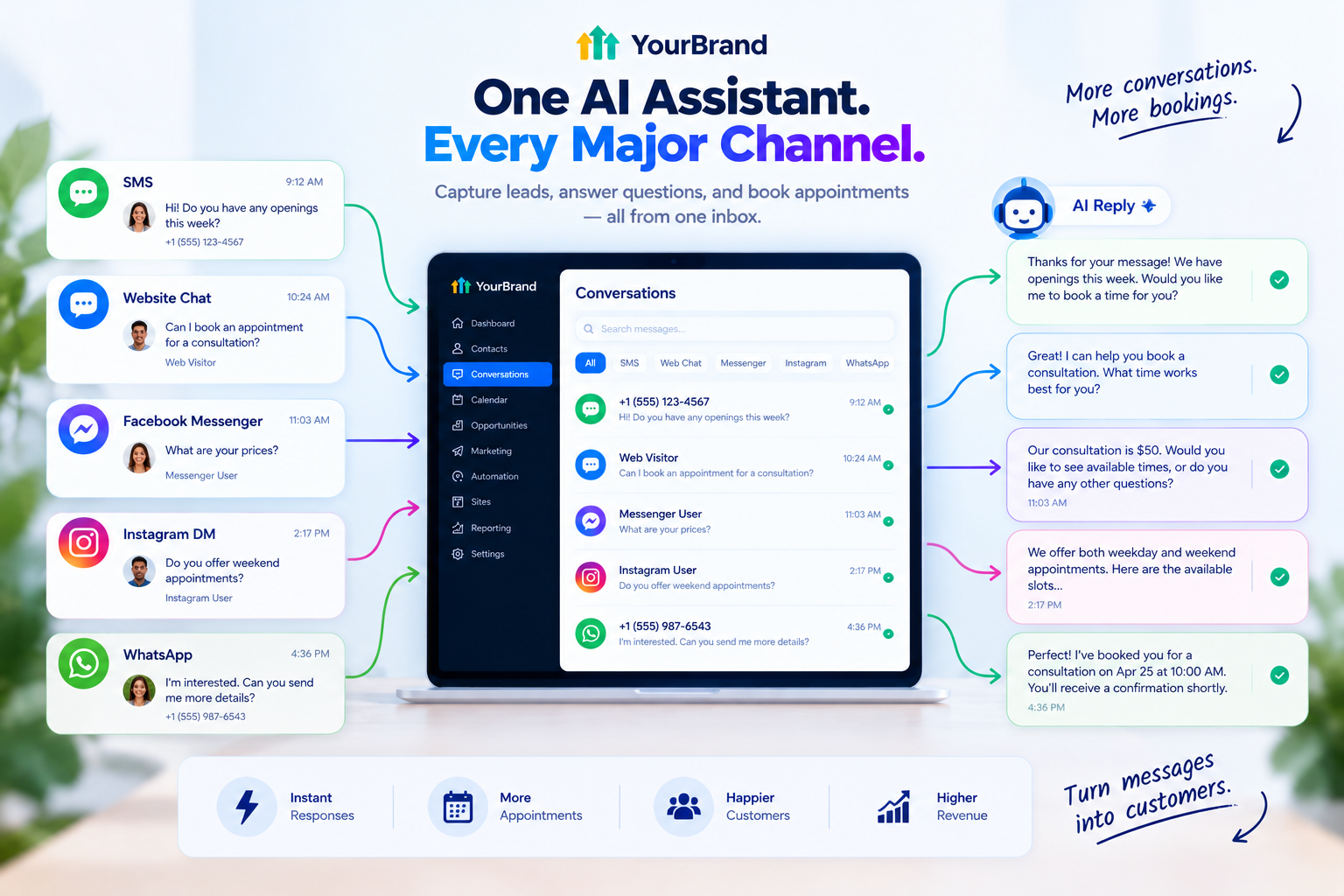
One of the biggest advantages is that a single bot can cover several channels at once:
| Channel | Best For |
|---|---|
| SMS | Following up with form leads and missed calls |
| Website chat | Converting website visitors into booked appointments |
| Facebook Messenger | Replying to ad and page inquiries |
| Instagram DMs | Service businesses that get inquiries on Instagram |
| International markets and lead nurturing |
You don’t have to switch everything on at once. Agencies can set channels independently, for example running full automation on web chat and social DMs while keeping SMS in suggestion mode.
The 3 Modes Explained
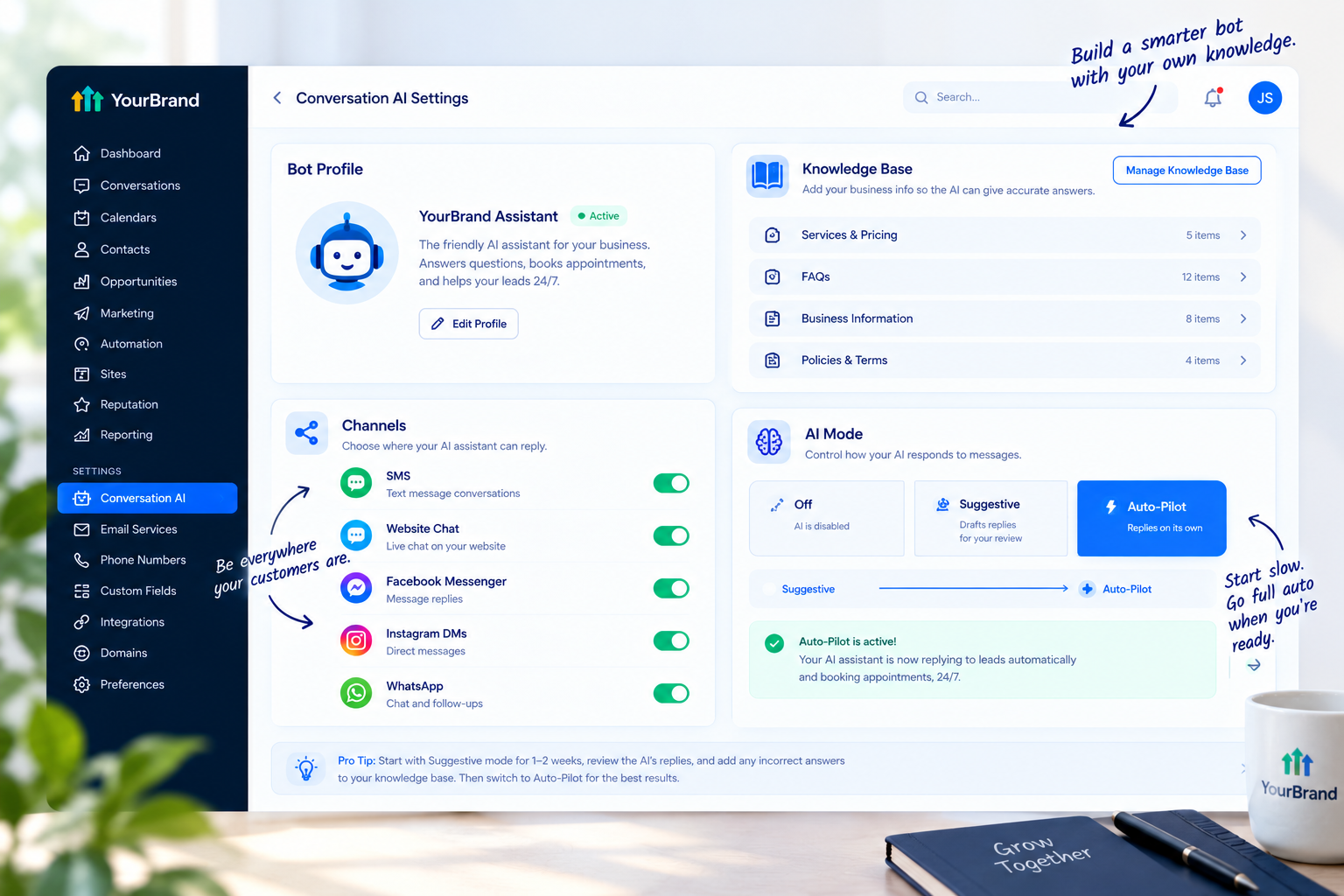
Conversation AI gives you control over how much it does on its own. There are three response modes:
| Mode | What Happens | Best Used When |
|---|---|---|
| Off | The bot is disabled | You don’t want AI involved yet |
| Suggestive | The AI drafts replies for a team member to review and send | You’re testing, training, or handling sensitive conversations |
| Auto-Pilot | The AI replies on its own, automatically | The bot has proven accurate and on-brand |
Here’s a pro tip many experts recommend: start in Suggestive mode for about two weeks, review the AI’s suggested replies daily, add any wrong answers to the knowledge base, and only switch to Auto-Pilot once accuracy is high.
It’s the safest way to build trust in the bot, for both you and your client.
What Can Conversational AI Do?
Here’s what a well-trained bot can handle:
- Answer FAQs about services, pricing, hours, and location
- Qualify leads by asking the right questions naturally
- Book appointments directly into the business calendar
- Follow up with leads who go quiet
- Collect contact details and update the CRM automatically
- Hand off to a human when a conversation gets complex or sensitive
- Trigger workflows, such as tagging leads or moving them through a pipeline
It’s not limited to replying to new messages either. Conversation AI can also be used inside workflows, which opens up even more automation possibilities.
A Real Conversation, Step by Step
Here’s how it might look for a med spa:
A visitor opens the website chat at 10 PM and asks about lip filler pricing
The AI shares the starting price and explains what’s included
It asks whether they’ve had the treatment before
It offers available consultation times for the week
The visitor picks a slot and the AI books it into the calendar
A confirmation text goes out automatically
The lead is tagged and added to the right pipeline stage
The owner opens their CRM in the morning to a booked consultation, not an unanswered chat.
Conversational AI vs. Voice AI
GoHighLevel has two main AI tools for talking with customers, and they work best together:
| Conversational AI | Voice AI | |
|---|---|---|
| Handles | Text messages and chats | Phone calls |
| Channels | SMS, web chat, social DMs, WhatsApp | Inbound and outbound calls |
| Best for | Leads who prefer texting | Leads who prefer calling |
| Main win | Instant replies on every channel | No more missed calls |
Want to cover phone calls too? Check out our GoHighLevel AI receptionist guide.
Best Industries for Conversational AI
Almost any business that gets inquiries through messages can benefit. These niches tend to see the fastest wins:
- Med spas and salons: Answering treatment questions and booking appointments
- Dental and medical clinics: Handling new patient inquiries after hours
- Home services: Capturing quote requests from ads and websites
- Real estate: Qualifying buyers and booking showings
- Gyms and fitness studios: Booking trial classes and answering membership questions
- Coaches and consultants: Qualifying prospects before discovery calls
How to Set Up GoHighLevel Conversational AI
Here’s a simple process to get a client’s bot live the right way:
1. Pick one main goal
Every bot works best with a single primary goal, like booking appointments or qualifying leads.
2. Build the knowledge base
Add services, pricing, hours, location, policies, and real customer questions. The bot is only as smart as the information you give it.
3. Write clear bot instructions
Give it a name, a personality, and rules. For example: “You are Mia, the friendly assistant for Glow Med Spa. Answer questions about treatments, pricing, and hours. Your main goal is to book free consultations. If someone has a complaint or a medical concern, hand the conversation to the team.”
4. Connect the calendar
So the bot can offer real available times and book directly.
5. Choose your channels
Start with one or two, like web chat and SMS, then expand.
6. Set handoff rules
Decide when a human takes over, such as complaints, refunds, or detailed medical questions.
7. Start in Suggestive mode
Review drafts, fix mistakes, and improve the knowledge base.
8. Switch to Auto-Pilot
Once replies are consistently accurate and on-brand.
9. Review conversations weekly
Keep updating answers based on what real leads are asking.
How Much Does It Cost?
Conversation AI is part of HighLevel’s AI Employee bundle. Pricing runs per enabled sub-account with three options: pay-per-use with no monthly subscription fee, AI Employee Growth at $50 per month, and AI Employee Unlimited at $97 per month.
For agencies on SaaS Mode, this becomes a great upsell. You can package conversational AI as a premium feature or bundle it into a higher-tier plan.
Pricing changes often, so always confirm current rates on HighLevel’s official pricing page before quoting clients.
Common Mistakes to Avoid
- Going Auto-Pilot too early: Untested bots can send wrong or off-brand replies to real leads
- A thin knowledge base: Vague info leads to vague answers
- Too many goals: A bot trying to do everything usually does nothing well
- No human handoff: Some conversations always need a real person
- Same tone everywhere: A text message and an Instagram DM often need slightly different styles
- Never reviewing chats: The best bots improve every week
The Real Challenge: Getting Clients to Trust It
Here’s what many agencies run into. The client hears “AI chatbot,” remembers a bad experience from years ago, and refuses to switch it on. Or they turn it on, don’t understand the modes, and switch it off after one odd reply.
The result? A powerful feature sits unused, and the client starts wondering what they’re paying for.
The fix is helping them see how it works. When a client watches the bot answer a question, book an appointment, and hand off a complaint to a human, the fear disappears. And the fastest way to show that is a short, clear video.
Explain Conversational AI With Feature Videos
Our white-label GoHighLevel feature videos are built exactly for moments like this. Each video focuses on one tool, like your conversational AI bot, and explains it in a 45 to 60 second animation your clients understand right away.
Here’s what’s included:
- Crisp 60fps motion graphics matching your dashboard theme
- Your brand name and terminology throughout, with GoHighLevel never mentioned or shown
- Ready-to-embed files for custom menus, onboarding checklists, help centers, and social posts
- Fast delivery in 3 to 5 business days
- Bundle options if you want a full library of feature animations
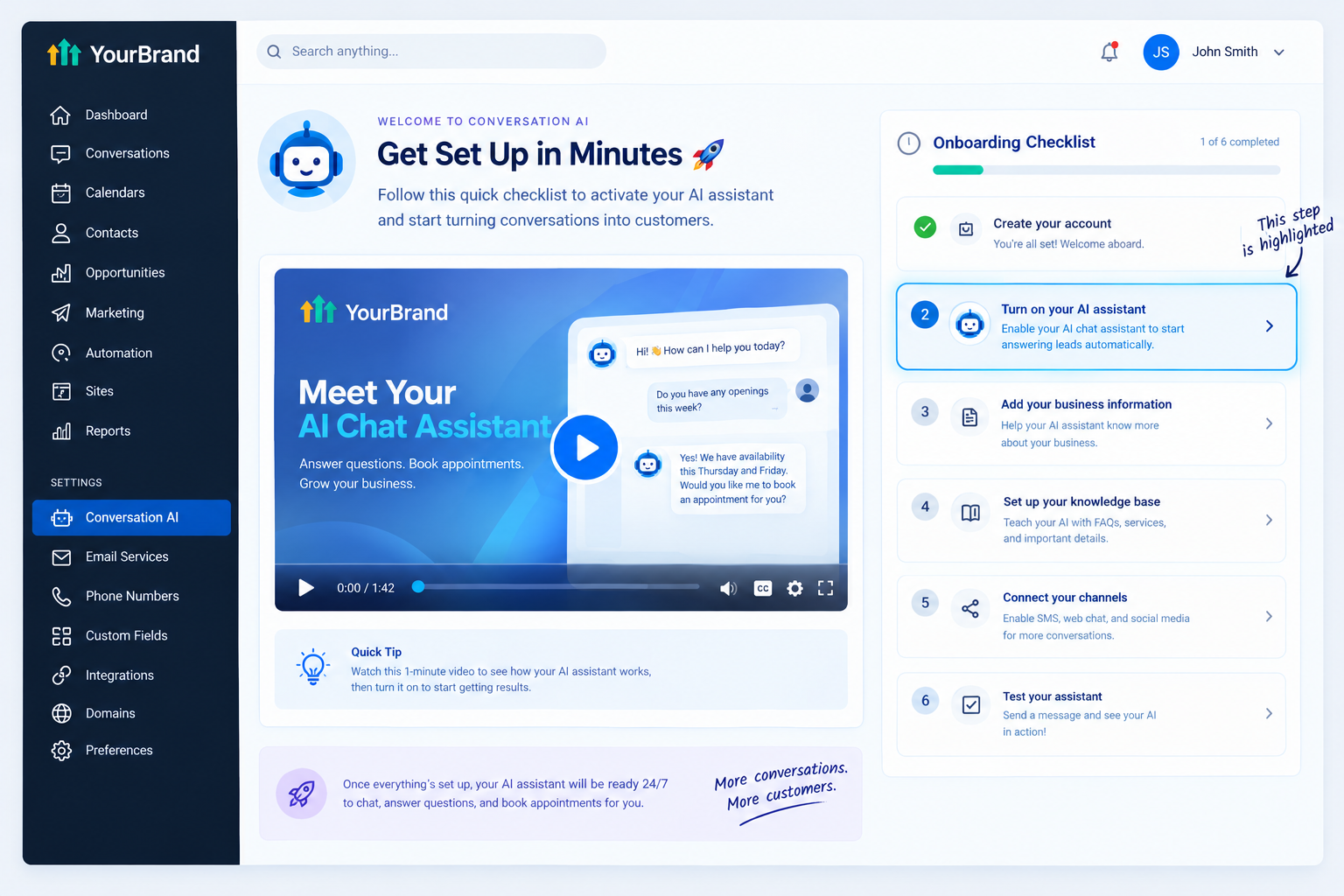
Here’s where to use your conversational AI feature video:
| Where to Use It | What It Does |
|---|---|
| Sales pages and ads | Sells conversational AI as a premium upgrade |
| Sales calls and emails | Shows prospects the value in under a minute |
| Onboarding checklists | Helps clients set it up and switch it on |
| Inside your app | Explains the modes and settings before a support ticket |
| Social media | Builds buzz around your platform’s AI features |
Tips for Selling Conversational AI
- Lead with speed: “Reply to every lead in seconds” is a powerful promise
- Ask about missed messages: Most owners know they’re slow to reply after hours
- Use niche examples: Show a real med spa or dental conversation, not a generic demo
- Address the “robot” fear: Explain Suggestive mode and human handoff upfront
- Position it as an upgrade: Make it part of your premium tier
- Show, don’t tell: A short feature video beats a long explanation every time
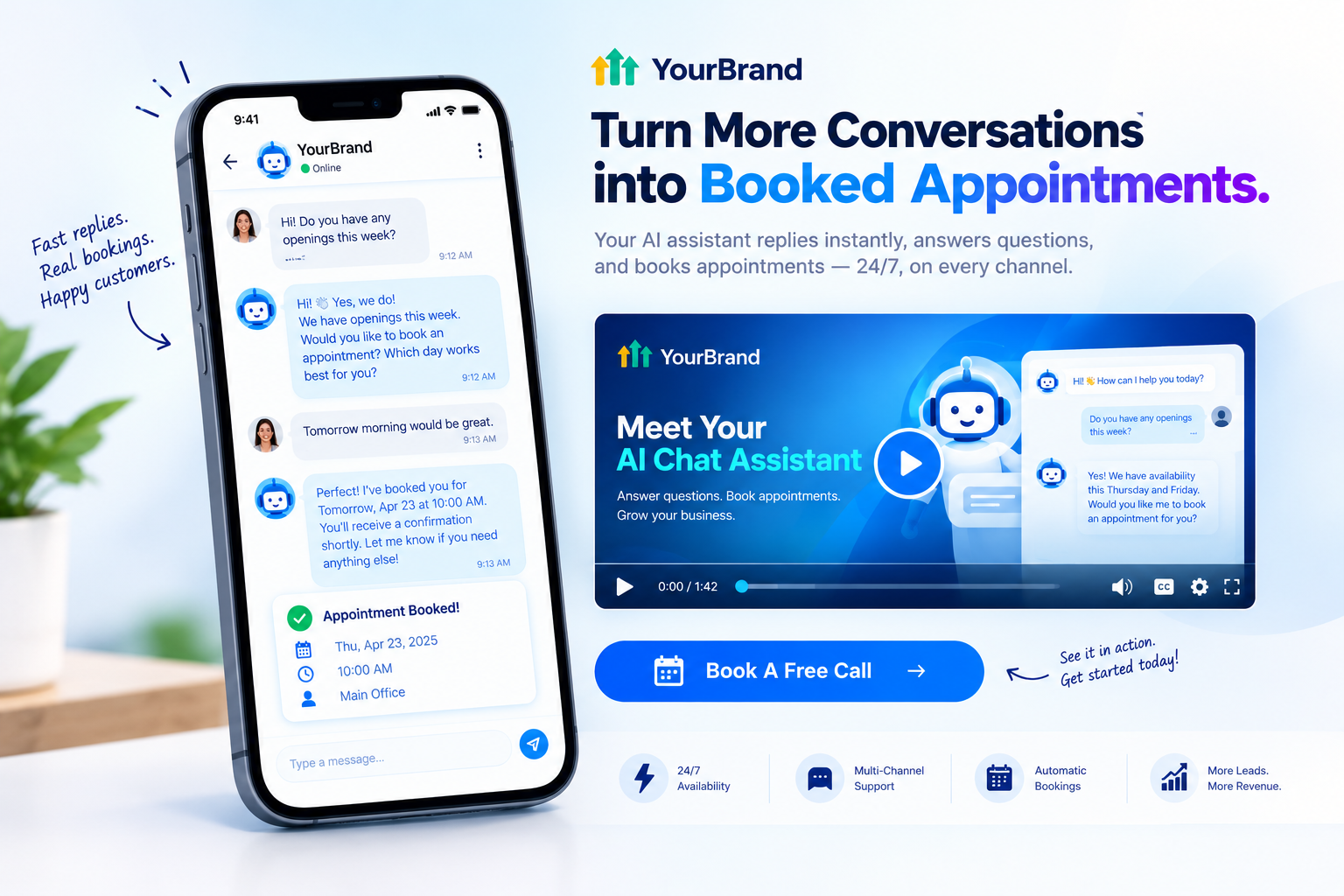
Ready to help clients understand and use their conversational AI? Book A Free Call and we’ll plan the right feature videos for your platform.
Book A Free CallFrequently Asked Questions
What is GoHighLevel conversational AI?
It’s HighLevel’s Conversation AI, a bot that automatically replies to leads across SMS, web chat, social DMs, and WhatsApp.
What’s the difference between Suggestive and Auto-Pilot mode?
Suggestive mode drafts replies for your team to approve. Auto-Pilot sends replies automatically without review.
Can conversational AI book appointments?
Yes. Once connected to a calendar, it can offer available times and book appointments directly.
Does it work on Instagram and Facebook?
Yes. It supports Instagram DMs and Facebook Messenger, along with SMS, web chat, and WhatsApp.
Can a human take over a conversation?
Yes. You can set rules so complex or sensitive conversations are handed off to the team.
Is conversational AI the same as Voice AI?
No. Conversational AI handles text-based messages, while Voice AI handles phone calls. Many businesses use both.
Can I sell conversational AI under my own brand?
Yes. Agencies on SaaS Mode can offer it as part of their white-label platform at their own price.
Will your feature videos mention GoHighLevel?
No. Every video uses your brand name, colors, and terminology. GoHighLevel never appears.
Skip the Loom. Talk to us.
Tell us what you're building. We'll tell you exactly which video it needs.
or write to hello@ghlexplainer.com