AI SaaS Demo Video: Complete Guide
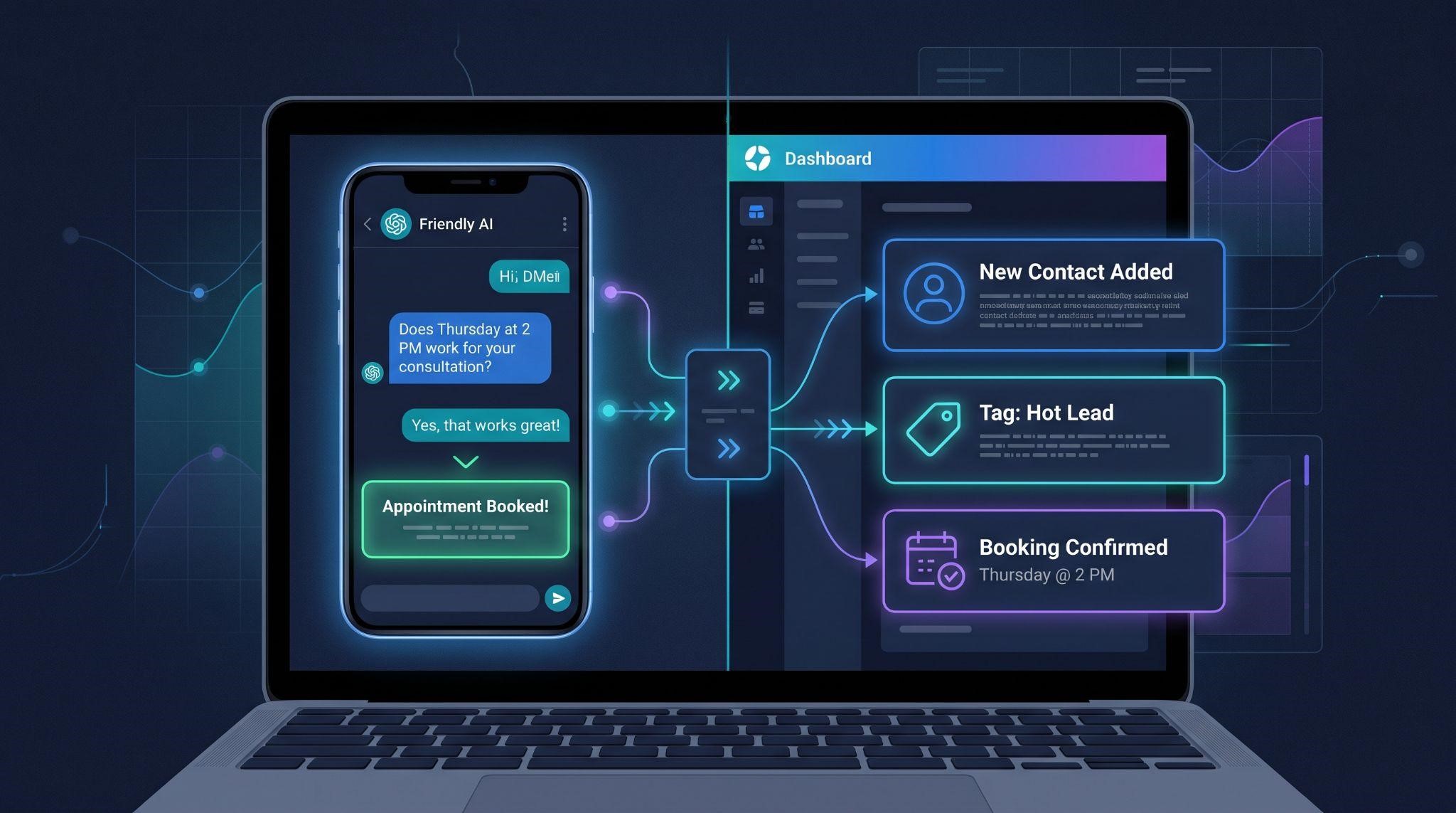
Demoing regular software is fairly predictable. You click a button, the same screen appears, and you move on.
Demoing AI software is a different game.
AI doesn’t always respond the same way twice. Much of its work happens behind the scenes. Voice AI needs to be heard, not just seen. And buyers watching your demo aren’t just asking “What does it do?” They’re asking, “Can I trust it with my customers?”
That’s why an AI SaaS demo video needs a different approach than a standard software walkthrough. Done right, it shows the AI working in realistic situations, reveals what happens behind the scenes, and proves it's trustworthy, all in a few minutes.
In this complete guide, you’ll learn how to plan, script, record, and edit an AI SaaS demo video that converts. We’ll cover the types of AI demos, how to design realistic scenarios, how to show both sides of a conversation, how to handle voice AI, and how to build trust without overpromising.
What Is an AI SaaS Demo Video?
An AI SaaS demo video is a walkthrough that shows an AI-powered software product working in real scenarios. It typically runs 2 to 7 minutes and shows how the AI handles conversations, takes actions, and connects to the rest of the platform.
For GoHighLevel agencies and SaaS owners, that might include:
AI Demo Video vs. AI Explainer Video
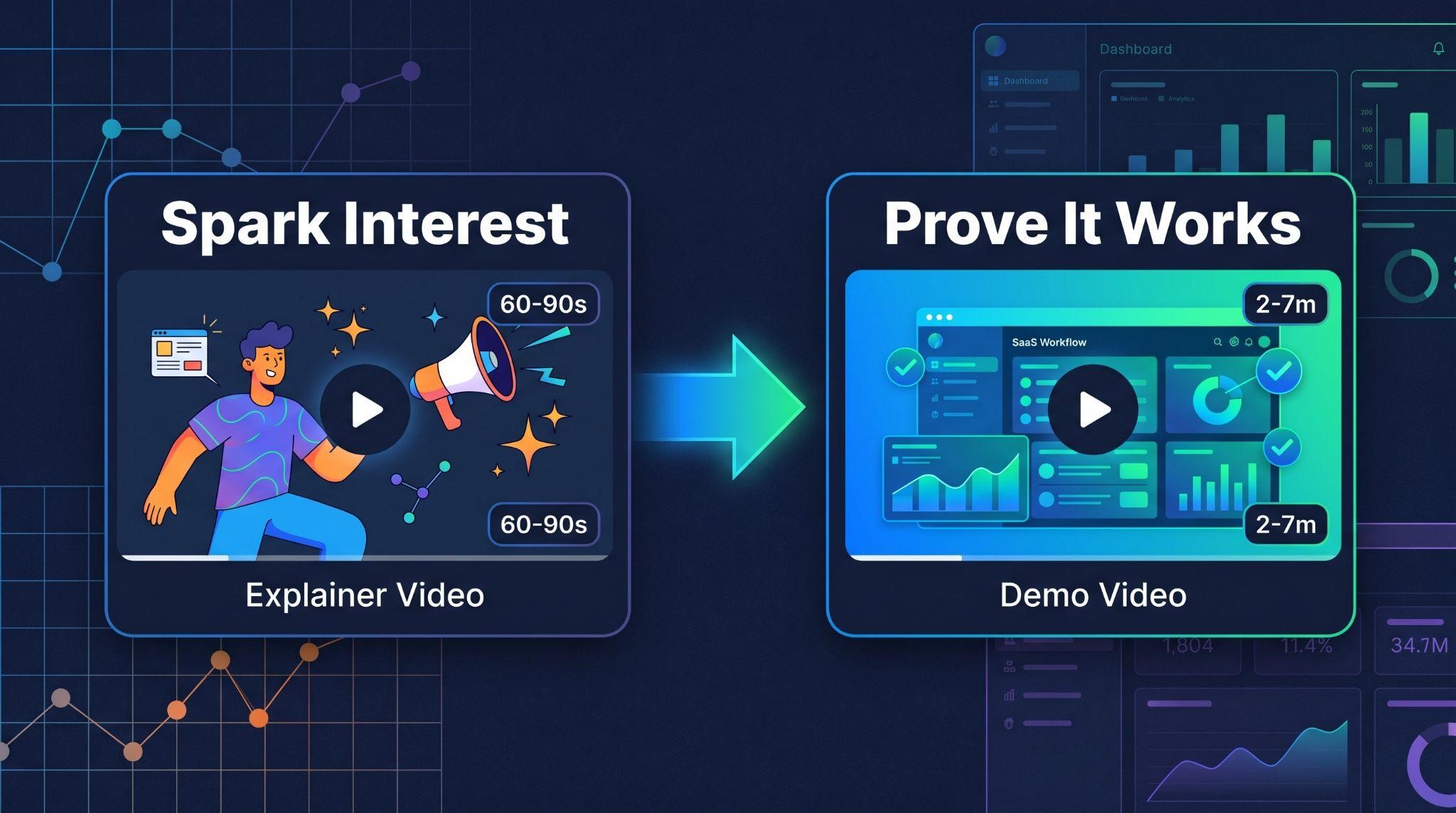
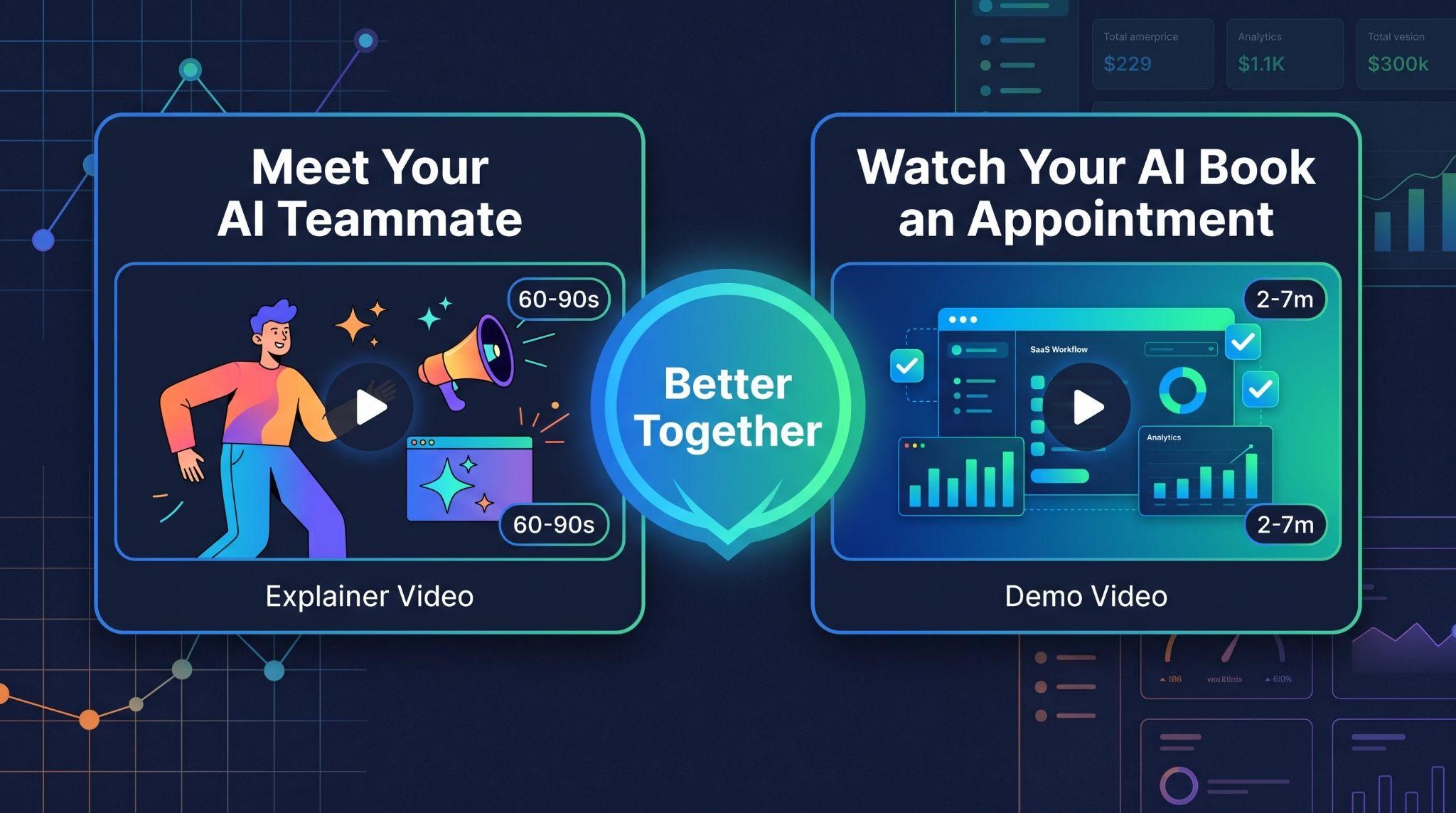
These two work best together, but they do different jobs:
| AI Explainer Video | AI SaaS Demo Video | |
|---|---|---|
| Length | 60 to 90 seconds | 2 to 7 minutes |
| Goal | Help viewers understand and want the AI | Prove the AI works and show how |
| Style | Story-driven, often animated | Real scenarios and dashboard views |
| Funnel stage | Awareness | Consideration and decision |
| Viewer question | “What is this, and why should I care?” | “Does it actually work, and can I trust it?” |
The explainer sparks interest. The demo seals the deal. If you’re still at the explainer stage, read our guide on how to explain an AI SaaS product with video.
Why AI Demos Are Different
| AI Challenge | Why It Matters | How Your Demo Should Handle It |
|---|---|---|
| Responses vary | AI may phrase answers differently each time | Test scenarios repeatedly and record the clearest, most accurate run |
| Work is invisible | Actions happen in the background | Show the dashboard updating as the AI works |
| Voice needs sound | A Voice AI demo without audio falls flat | Use real call audio with captions |
| Trust is fragile | Buyers fear mistakes and robotic replies | Show guardrails, natural replies, and human handover |
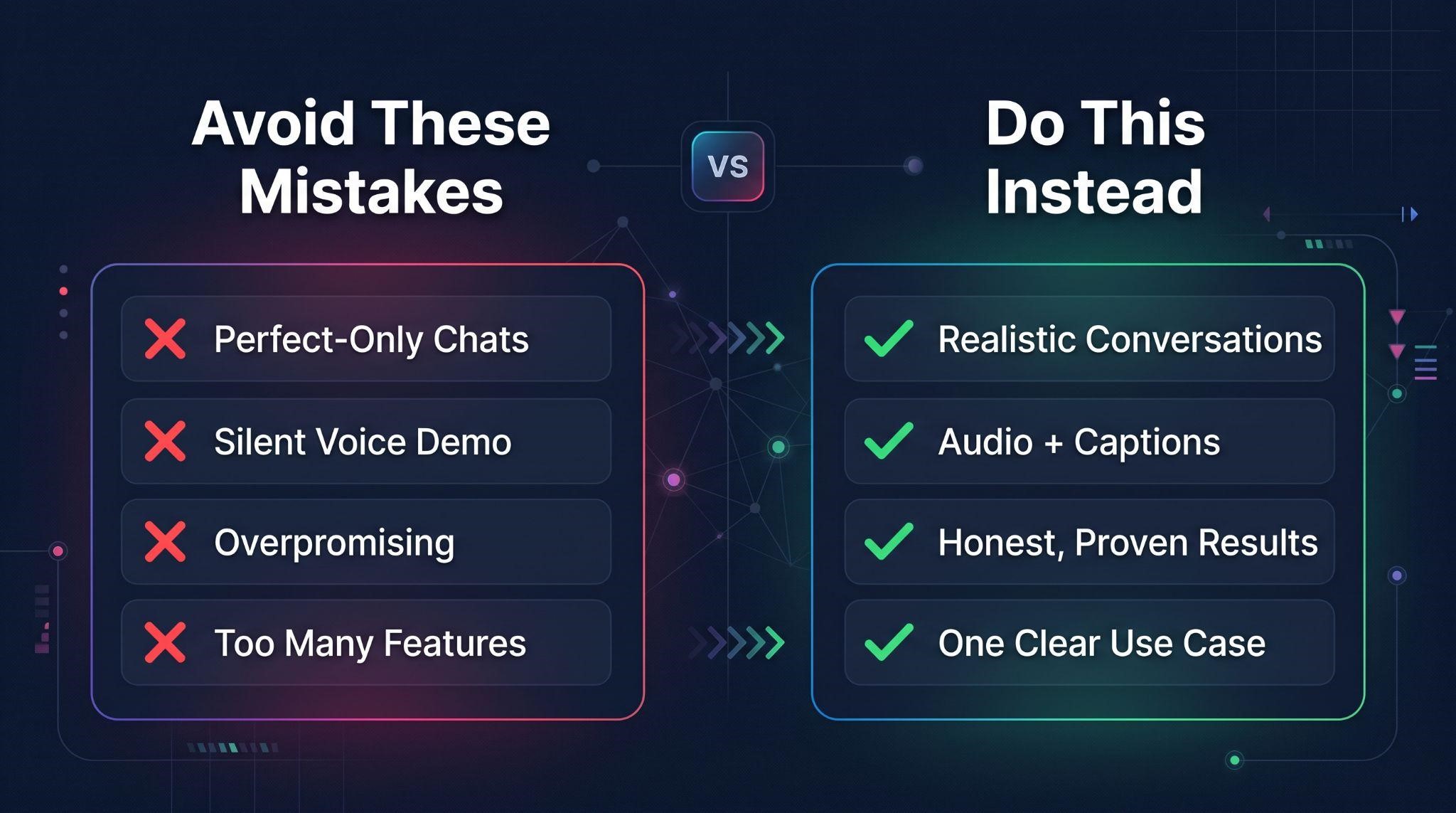
| Hype skepticism | Buyers have heard big AI promises before | Show specific, realistic results, not hype |
| Response speed matters | Buyers want to know how fast it replies | Keep timing honest so expectations are realistic |
Types of AI SaaS Demo Videos
Not every AI demo needs to cover everything. Choose the type that fits your goal:
| Demo Type | What It Shows | Best For |
|---|---|---|
| AI platform walkthrough | All AI features inside your platform | Replacing a live sales call |
| Single AI feature demo | One tool, like Voice AI or chat AI | Feature pages and upsells |
| Use-case demo | One business scenario from start to finish | Niche marketing and outreach |
| Voice AI call demo | A real call with audio and live dashboard updates | Selling AI receptionists |
| Sales-stage demo | AI features that answer specific objections | Prospects close to deciding |
For most agencies, the use-case demo is the most persuasive starting point. Watching a med spa’s AI book a consultation is far more convincing than a tour of AI settings.
Step 1: Choose Your Audience and Use Case
Start by answering two questions:
Who is watching? A dental clinic owner, a roofing company, or a real estate agent will care about different AI moments.
What’s the one big result you want them to see? Pick a single outcome, such as:
Everything in your demo should lead to that result.
Step 2: Design Realistic Demo Scenarios
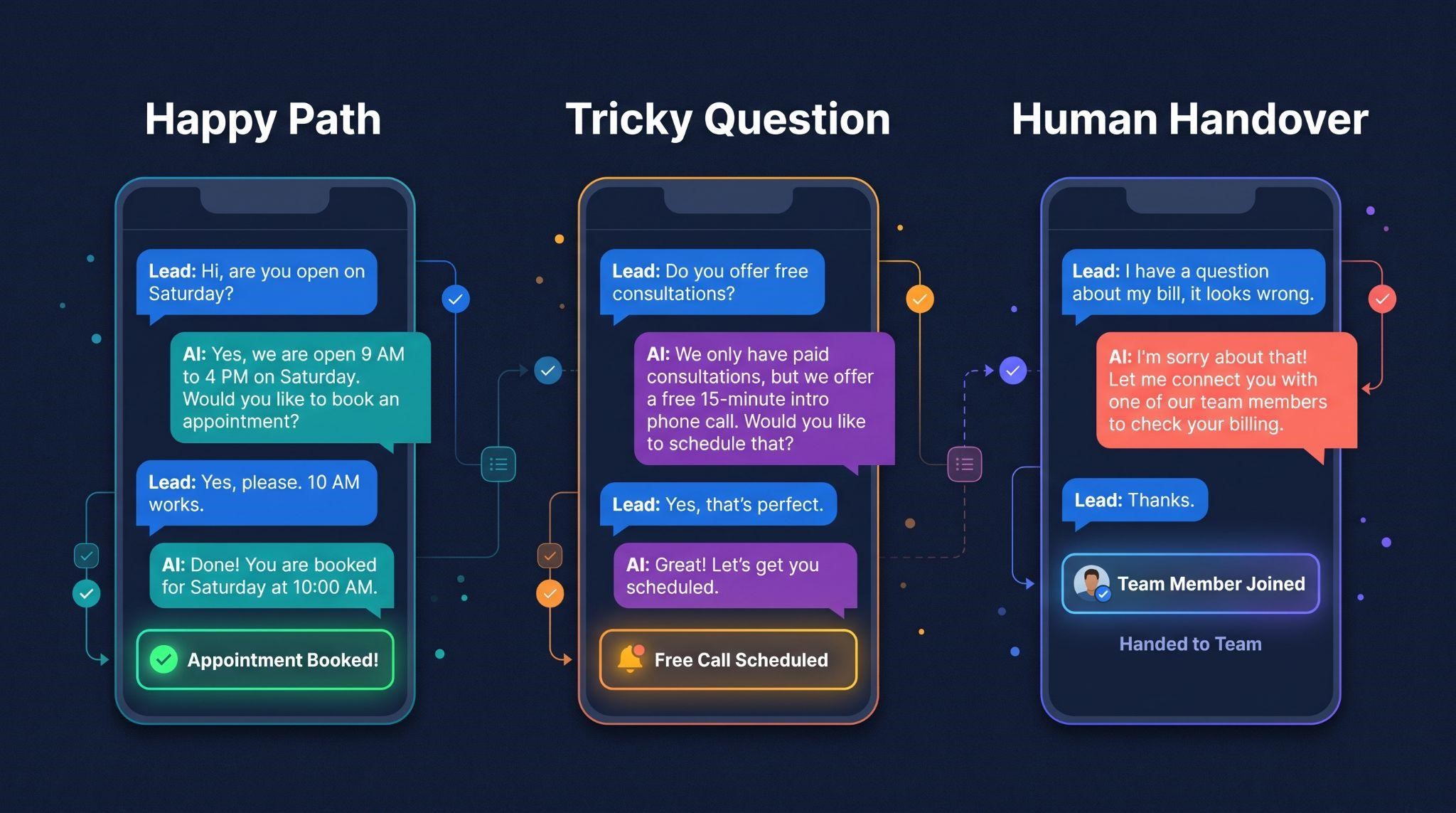
This is the most important planning step for AI demos. A good AI demo usually includes three types of scenarios:
| Scenario Type | What It Shows | Example (Med Spa) |
|---|---|---|
| The happy path | The AI handling a typical request perfectly | A lead asks about pricing and books a consultation |
| The tricky question | The AI handling something less straightforward | A lead asks about a treatment the spa doesn’t offer, and the AI suggests an alternative |
| The human handover | The AI knowing when to step back | A customer with a complaint is passed to the team |
Including all three shows that the AI is smart, flexible, and safe. Showing only perfect conversations can actually make buyers more suspicious.
Write Your Scenario Scripts
For each scenario, write out:
Step 3: Prepare the AI Properly
AI demos live or die by preparation. Before you record:
A Note on Honesty
Because AI responses vary, it’s normal to record several takes and use the clearest one. But your demo should always reflect what the product really does. Don’t stage responses the AI can’t actually give, and don’t hide limitations that matter to buyers. If you use animation to recreate a conversation more clearly, make sure it matches the AI’s real behavior.
Honest demos build trust, set the right expectations, and lead to happier customers after signup.
Step 4: Structure Your Demo Script
Here’s a proven structure for a 3 to 4 minute AI use-case demo:
| Section | Time | What to Cover |
|---|---|---|
| Hook | 0:00 to 0:15 | The problem in one relatable moment |
| Setup | 0:15 to 0:35 | Introduce the business and its AI assistant |
| Scenario 1: Happy path | 0:35 to 1:30 | AI handles a typical request and books it |
| Behind the scenes | 1:30 to 2:00 | Show the dashboard: contact created, tagged, appointment booked |
| Scenario 2: Tricky question | 2:00 to 2:30 | AI handles something unexpected smoothly |
| Scenario 3: Human handover | 2:30 to 2:55 | AI passes a sensitive conversation to the team |
| Control and results | 2:55 to 3:25 | Owner reviewing conversations and seeing results |
| Call to action | 3:25 to 3:40 | One clear next step |
Sample Opening
“It’s 9 PM. Glow Med Spa has closed for the day, but a new lead just sent a message on Instagram. Let’s see what happens when their AI assistant takes over.”
Simple, relatable, and immediately curious.
Step 5: Show Both Sides of the Conversation
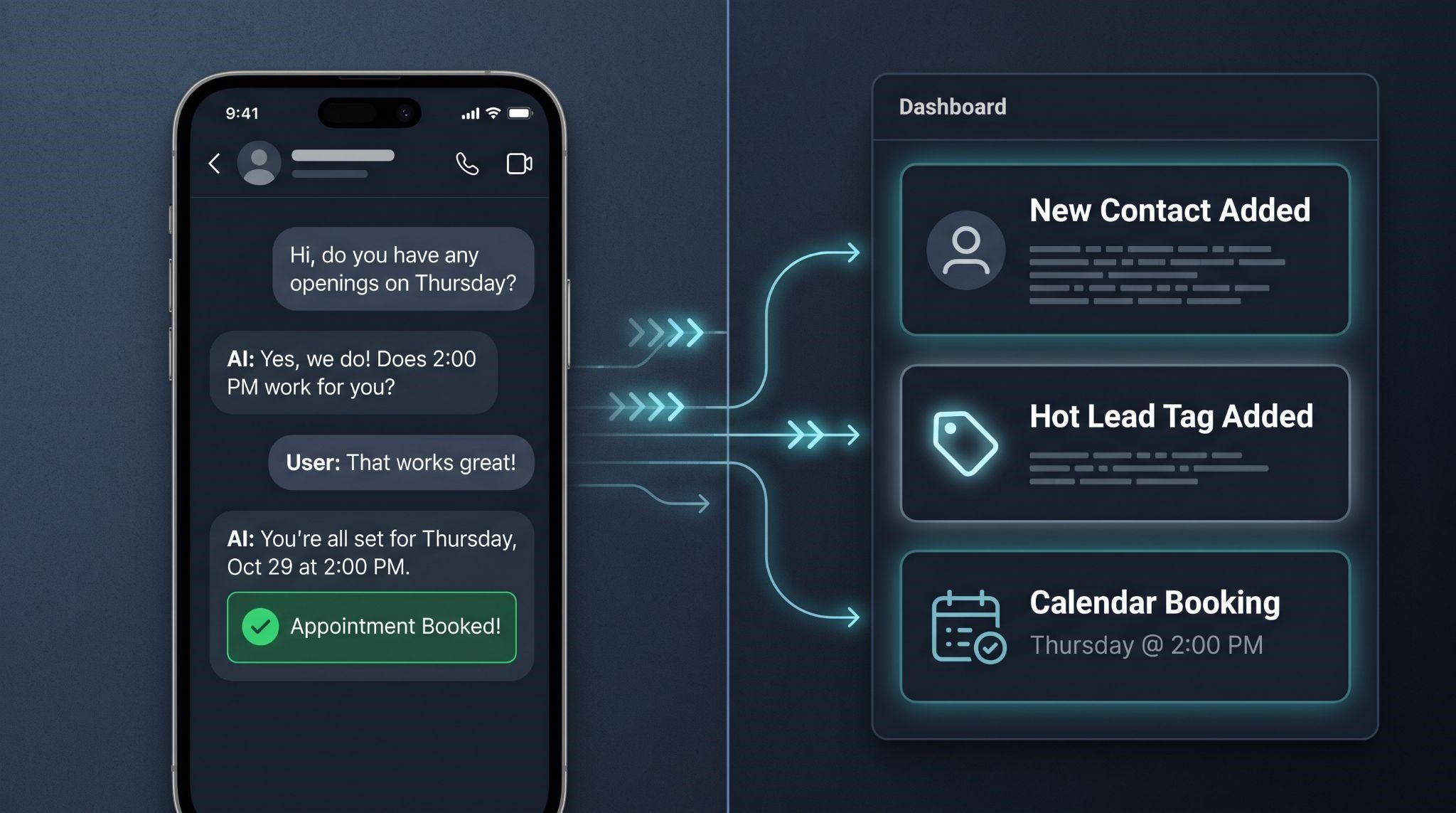
This is the single most powerful technique in AI demos: show what the customer sees and what the business sees, at the same time.
Split-Screen Setup
As the customer chats, viewers watch the dashboard react: a new contact appears, a tag is added, an opportunity moves through the pipeline, and an appointment lands on the calendar.
This one technique answers two big buyer questions at once: “Does it sound good to my customers?” and “What do I actually get from it?”
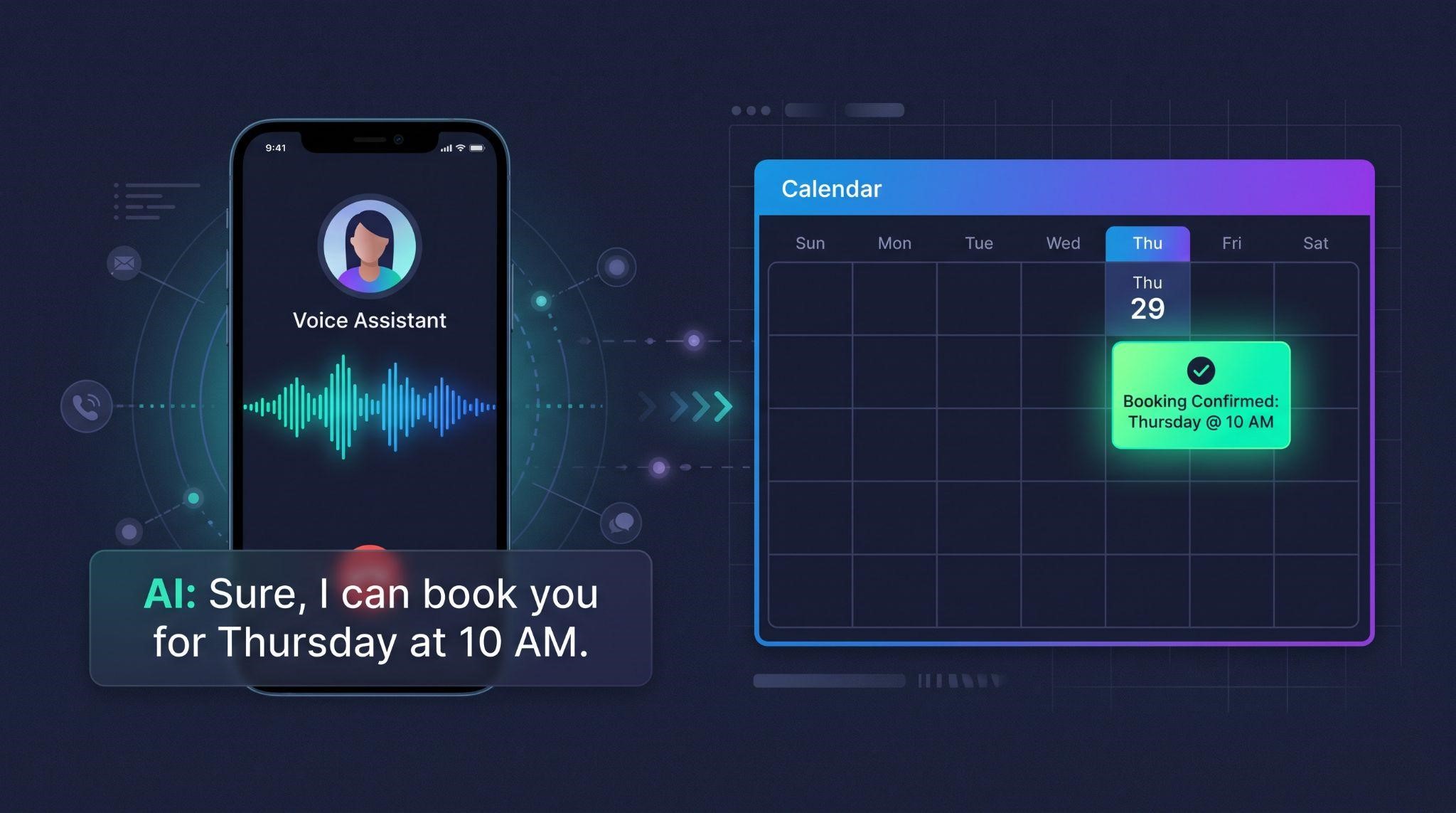
Step 6: Get Voice AI Demos Right
If you’re demoing an AI receptionist or voice agent, sound is everything. A silent screen recording can’t show how natural the AI sounds.
Voice AI Demo Tips
Step 7: Reveal the Behind-the-Scenes Actions
Much of the AI’s value happens where customers never see it. Make it visible:
| Behind-the-Scenes Action | How to Show It |
|---|---|
| Contact created | Zoom into the new contact card with details filled in |
| Lead qualified | Highlight the tag or custom field the AI added |
| Pipeline updated | Animate the deal moving to the next stage |
| Appointment booked | Show the calendar slot filling in |
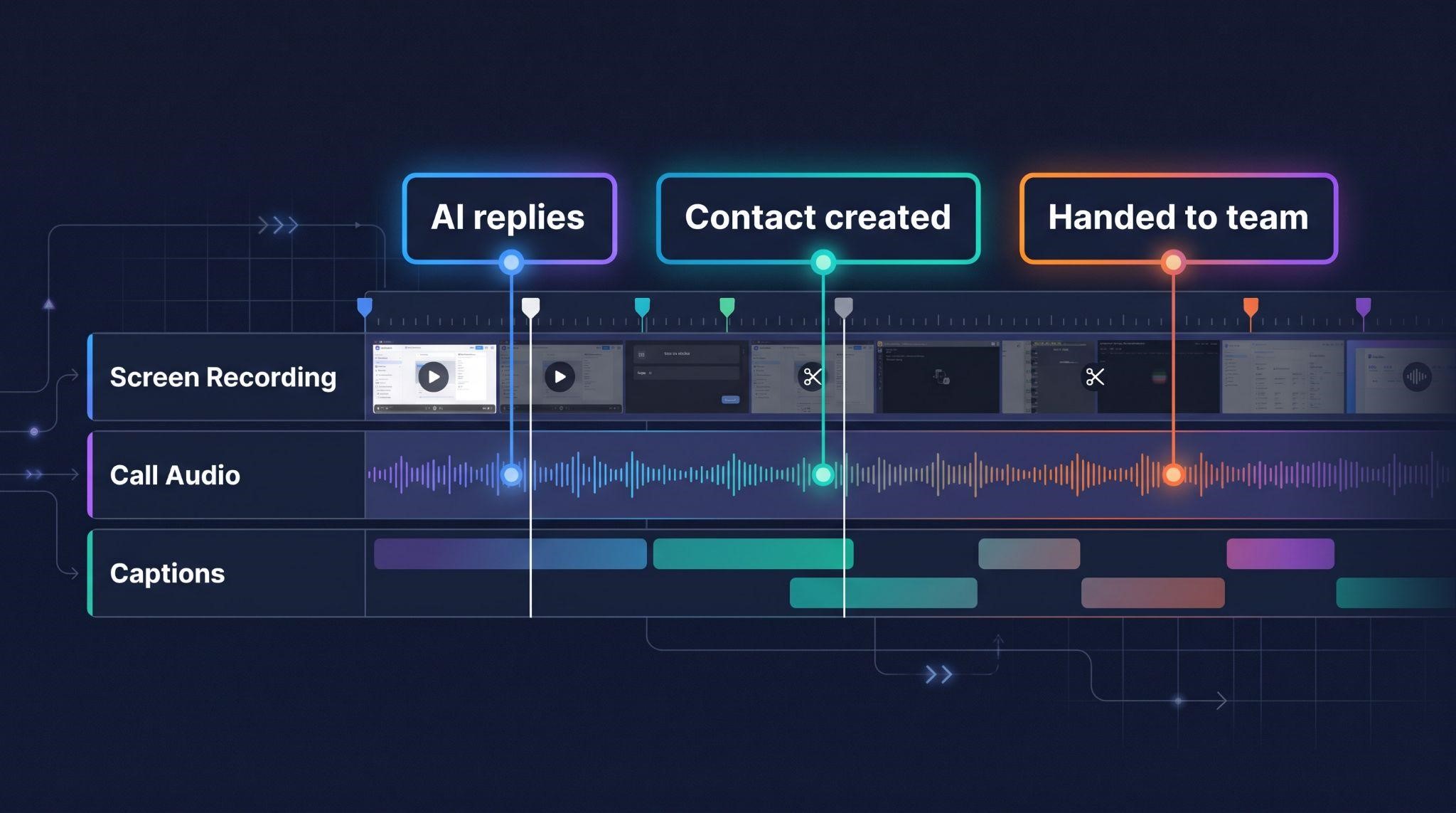
| Team notified | Show the internal notification or task appearing |
| Follow-up triggered | Show the workflow step that runs next |
These moments turn “the AI chatted with someone” into “the AI did real work for my business.”
Step 8: Add Trust Moments
Trust is what turns an impressive demo into a signed customer. Make sure your demo includes:
Step 9: Edit for Clarity
AI demos often have a lot happening at once. Editing should make it feel simple.
Step 10: Put Your AI Demo to Work
| Where to Use It | Why It Works |
|---|---|
| Pricing and AI feature pages | Builds confidence right before purchase |
| Sales emails and follow-ups | Lets prospects see AI in action on their own time |
| Before sales calls | Prospects arrive already understanding the AI |
| After sales calls | Easy to share with partners and decision-makers |
| Upsell campaigns | Shows existing clients what AI could add to their account |
| Paid ads (short cuts) | 30 to 60 second clips of the best AI moments |
How to Measure Success
| Metric | What It Tells You |
|---|---|
| Video completion rate | Whether the demo keeps attention |
| Drop-off points | Which scenes lose viewers |
| Calls booked after viewing | How well the demo drives action |
| AI upsell conversions | Whether existing clients are adding AI features |
| Sales cycle length | Whether prospects decide faster |
| Common sales questions | What your demo still needs to answer |
Common Mistakes to Avoid
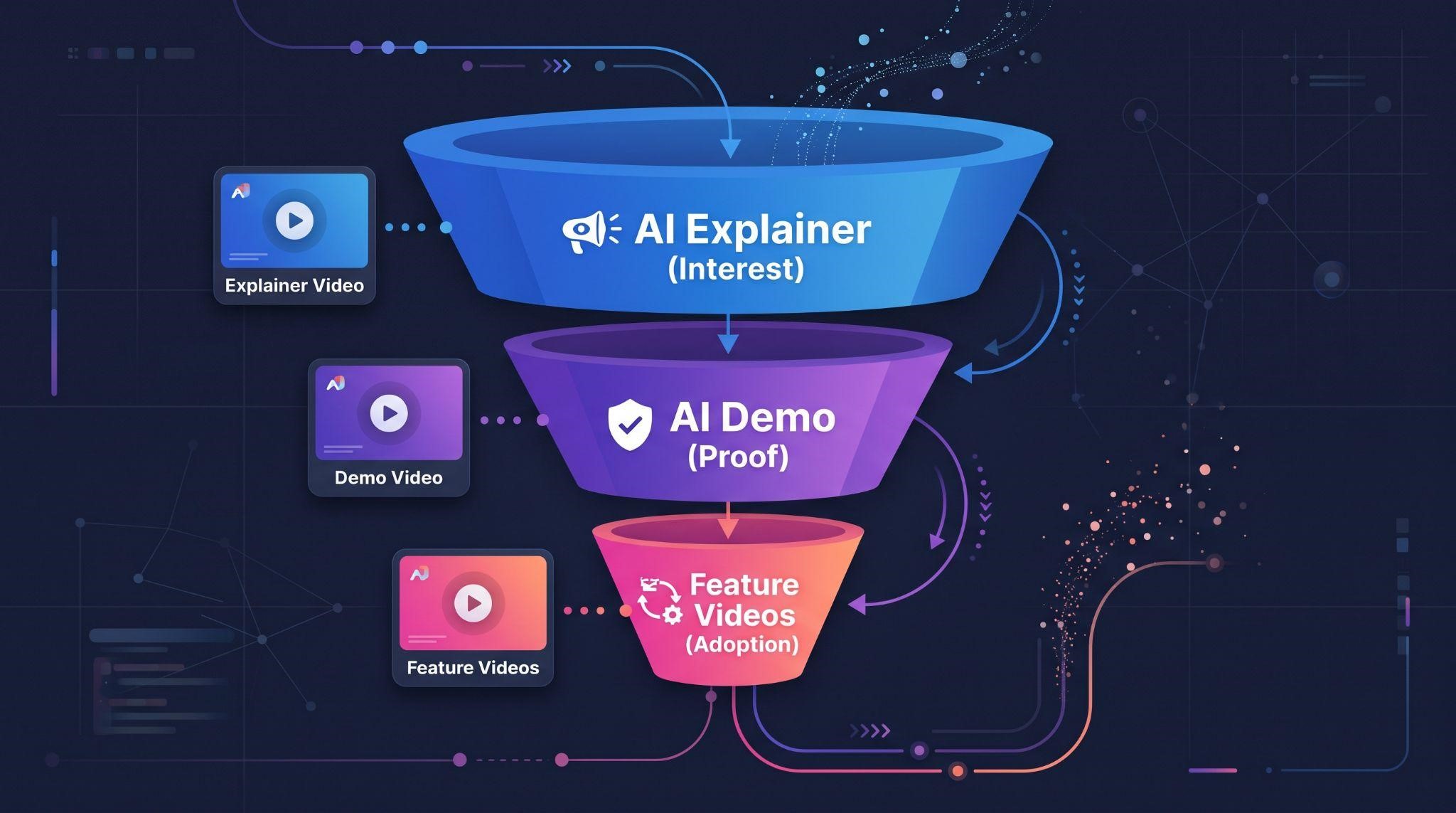
Pair Your Demo With an AI Explainer
The strongest AI sales funnels use both videos:
AI explainer video on your homepage, ads, and outreach to spark interest in 60 to 90 seconds
AI SaaS demo video on your pricing page, sales emails, and before calls to prove it works
Feature videos for individual AI tools to support upsells and onboarding
When prospects understand the “why” from the explainer, your demo can focus entirely on the “how.”
Let GHL Explainer Create Your AI Videos
At GHL Explainer, we create premium white-label videos made specifically for GoHighLevel SaaS businesses, including AI-powered platforms.
Start with an AI explainer. Our white-label explainer videos turn your platform’s value into a clear 60 to 90 second story. Ready-made options include:
Or get a fully custom explainer scripted around your AI use case.
Then add a demo. Our demo videos give prospects a full walkthrough of your platform, built to replace your Loom and live demo calls. Sales-stage demos can be built around your real objections and buying triggers, perfect for addressing AI trust concerns.
Every video is:
Bring each separately.
Quick Checklist: Creating an AI SaaS Demo Video
Ready to show prospects exactly what your AI can do?
Book A Free Call and we’ll help you choose the right AI explainer and demo videos for your platform.
Frequently Asked Questions
What is an AI SaaS demo video?
It’s a walkthrough that shows AI-powered software working in realistic scenarios, including how it handles conversations and what actions it takes.
How long should an AI SaaS demo video be?
Use-case demos usually run 3 to 4 minutes. Full platform walkthroughs can run 5 to 7 minutes.
How is an AI demo different from a regular software demo?
AI responses can vary, much of the work happens behind the scenes, and buyers need extra reassurance about trust and accuracy.
Should I show the AI making mistakes?
Show realistic scenarios, including a tricky question and a human handover. This builds more trust than showing only perfect conversations.
How do I demo Voice AI?
Use real call audio with captions, a split screen showing the phone and dashboard, and the booking appearing on the calendar.
Is it okay to record multiple takes of AI responses?
Yes, as long as the final demo reflects what the product truly does and doesn’t stage responses the AI can’t actually give.
Should I create an AI explainer or demo first?
Many SaaS owners start with an explainer to build interest, then add a demo to prove it works.
Will GoHighLevel appear in my videos?
No. Every GHL Explainer video is 100% white-labeled to your brand.
Skip the Loom. Talk to us.
Tell us what you're building. We'll tell you exactly which video it needs.
or write to hello@ghlexplainer.com